

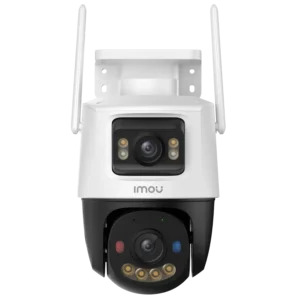
Remote surveillance has become an essential feature for homeowners and business owners who want to monitor their properties from anywhere. Whether you are traveling, at work, or simply away from your premises, remote DVR access allows you to view live footage, review recordings, and stay connected to your security system in real time.
Modern Digital Video Recorders (DVRs) offer advanced networking capabilities that make remote monitoring easier than ever. By connecting your DVR to the internet and configuring the proper settings, you can access your surveillance system using a smartphone, tablet, or computer from virtually any location.
In this guide, we will explain how to access a DVR remotely, the requirements involved, common troubleshooting methods, and important security practices to ensure safe and reliable monitoring.
Remote DVR access allows users to connect to their surveillance recorder through the internet. Instead of physically being near the DVR, users can view live video feeds, play back recorded footage, receive alerts, and manage system settings remotely.
This functionality is particularly valuable for:
With remote access, surveillance becomes more convenient and proactive, helping users respond quickly to incidents and maintain awareness of their property at all times.
Security threats can occur at any time. Waiting until you return home or arrive at your office to review footage may delay your response to important events.
Remote access offers several advantages:
Users can instantly view live camera feeds and check property conditions whenever needed.
Motion alerts or notifications can be verified instantly without traveling to the site.
Remote viewing helps owners oversee employees, deliveries, visitors, and operations efficiently.
Knowing you can monitor your property from anywhere provides confidence and reassurance.
When integrated with modern security cameras, remote access creates a powerful surveillance solution for both residential and commercial environments.
Before setting up remote access, several components must be in place.
The DVR must be connected to a stable internet connection through a router or network switch.
Most modern DVRs include networking features that support remote viewing through mobile apps and web interfaces.
A compatible mobile device, tablet, laptop, or desktop computer is required to access the system remotely.
Manufacturers typically provide dedicated applications that allow users to connect securely to their DVR systems.
You will need the DVR’s username and password for authentication.
The first step involves connecting the DVR to your local network.
Use an Ethernet cable to connect the DVR directly to your router. Once connected, verify that the DVR successfully obtains a valid IP address from the network.
Most DVR systems display network information within their settings menu.
A stable wired connection is generally preferred because it provides better reliability and consistent performance.
After connecting the DVR to the network, verify the following settings:
Many DVRs support automatic network configuration through DHCP, making setup easier for most users.
For advanced installations, static IP configuration may be used to maintain consistent network identification.
Most DVR manufacturers provide cloud-based remote access services.
These services eliminate the complexity of traditional networking methods by allowing users to connect using a QR code or device identification number.
To enable remote access:
Once activated, the DVR becomes accessible through the manufacturer’s mobile application.
Download the official mobile app recommended by your DVR manufacturer.
After installation:
The DVR should now appear within the application dashboard.
Users can immediately begin viewing live camera feeds remotely.
After adding the DVR successfully, test remote viewing functionality.
Check:
Testing ensures that the entire system is functioning correctly before relying on it for daily monitoring.
In addition to smartphones, many DVR systems support desktop access.
Users can connect through:
Computer access is particularly useful for security teams and business owners who manage multiple camera systems simultaneously.
Larger screens provide better visibility and improved control over surveillance operations.
Although modern DVR systems are easier to configure than ever before, some issues may occur.
Possible causes include:
Restarting network equipment often resolves connectivity issues.
Verify:
Low-quality video may result from:
Upgrading internet service or adjusting video settings may improve performance.
Notification delays are commonly caused by mobile device restrictions or unstable internet connections.
Ensure notifications are enabled within both the DVR application and phone settings.
Remote access provides convenience, but proper cybersecurity measures are essential.
Avoid default passwords and create complex login credentials.
Include:
If supported, activate two-factor authentication for additional account protection.
Manufacturers regularly release updates that improve performance and address security vulnerabilities.
Regular updates help maintain system reliability and protection.
Provide only necessary access levels to employees or family members.
Limiting permissions reduces security risks and prevents unauthorized changes.
Review account activity periodically to identify suspicious access attempts.
Modern surveillance systems often integrate multiple security solutions into a unified platform.
For example, a door phone intercom system can work alongside DVR-based surveillance to enhance visitor management and access control.
This integration allows users to:
Combining technologies improves overall security while creating a more convenient user experience.
When selecting a DVR system, many buyers compare features, storage capacity, remote access functionality, and reliability.
Cost is naturally a consideration, which is why consumers frequently research the dvr price in pakistan before making purchasing decisions.
However, long-term value should take priority over initial purchase cost. A reliable DVR with strong remote access capabilities can provide years of dependable surveillance and improved security management.
Features such as cloud connectivity, mobile applications, motion alerts, and remote playback often justify investing in a higher-quality solution.
Remote monitoring technology continues to evolve rapidly.
Emerging advancements include:
These innovations will make remote surveillance even more intelligent, efficient, and user-friendly in the coming years.

© 2025 Crivva - Hosted by Airy Hosting Managed Website Hosting.