


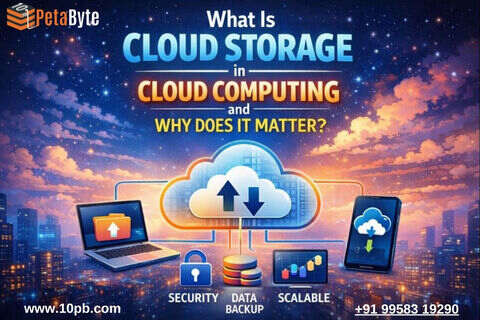
Most of us use cloud storage on a daily basis though we may not always be aware of it. The next time an application logs your information, a webpage logs your profile or a system logs a back-up, cloud storage is most likely doing the heavy lifting in the background.
Confusion and comparisons with other terminologies are omitted to make this article simple, human, and understandable on cloud storage in cloud computing without being technical and confusing.
What Cloud Storage Means in Cloud Computing
Cloud storage in Cloud Computing merely refers to the storage of information on remote servers which are operated by a cloud computing company rather than putting it all in your own computer or office server.
This storage is connected to the internet. There is no concern about hardware, disk errors or space limitations. You pay what you use and only use the storage when you need it.
Such a flexibility is what renders cloud storage so significant a component of cloud computing.
Why Cloud Storage Is So Important
Each application requires a secure location of data. Cloud storage offers such a base.
It is used to store:
The fact that cloud storage is always present and can easily be increased also means that applications need not be concerned with storage capacity at any time.
How Cloud Storage Works
Cloud storage is designed to make data storage simple for users while complex systems operate quietly in the background to ensure reliability, security, and availability. From the user’s perspective, uploading and accessing data feels no different from saving files on a local drive. However, behind the scenes, cloud storage relies on a highly distributed and resilient infrastructure.
When you upload or post data to a cloud storage platform, the information is not saved on a single machine or in one physical location. Instead, it is distributed across multiple storage systems within secure data centers. This distributed approach ensures that your data remains available even if one system experiences a failure.
To protect against hardware breakdowns, power outages, or unexpected technical issues, cloud storage automatically creates spare copies of your data. These copies are stored across different servers and, in many cases, across multiple geographic locations. This redundancy ensures that data can be recovered quickly without user intervention, maintaining uninterrupted access.
Access to cloud-stored information is strictly controlled and continuously monitored. Users are authenticated through secure login methods, and permissions determine who can view, upload, modify, or delete data. These access controls help prevent unauthorized usage while ensuring that the right people can access information when needed. Activity logs and monitoring tools further enhance transparency and accountability.
From the user’s point of view, the entire experience remains straightforward. Files can be uploaded, stored, and retrieved using web dashboards, applications, or integrations with existing software. There is no need to manage physical storage devices, worry about capacity limits, or handle system maintenance. The cloud platform automatically manages these tasks in the background.
Reliability is a core advantage of cloud storage systems. Built-in automation continuously checks the health of storage components, replaces failing hardware, and balances workloads to maintain performance. This proactive management significantly reduces the risk of data loss or downtime.
Security is also deeply integrated into how cloud storage works. Data is typically encrypted while being transferred and while stored, ensuring that sensitive information remains protected. Regular updates, security patches, and compliance checks further strengthen the safety of stored data.
In essence, cloud storage abstracts complexity away from the user. While the underlying systems handle redundancy, security, and availability, users benefit from a simple, flexible, and dependable way to store and access data. This combination of simplicity on the surface and sophistication behind the scenes is what makes cloud storage a preferred choice for modern businesses and individuals alike.
Common Types of Cloud Storage
Although you do not require the in-depth technical knowledge, knowing the fundamentals is good.
Image, video, backups and large files are typical examples of objects stored. It is dynamic and economical.
A combination involving these is used in most of the modern systems based on the work load.
Benefits of Using Cloud Storage
Cloud storage has daily benefits that make management of technology easy.
These advantages contribute to the teams working more and being less concerned about infrastructure.
Cloud storage offers everyday advantages that simplify technology management. Organizations can start small and seamlessly scale as data volumes grow, without worrying about managing physical storage hardware. Data remains securely accessible across multiple geographical locations, while built-in security measures significantly reduce the risk of data theft.
Together, these benefits allow teams to focus more on productive work and less on infrastructure-related concerns.
Is Cloud Storage Secure?
One of these concerns is security and it is not a trivial issue.
The cloud storage systems usually contain:
Cloud storage in cloud computing can be extremely safe and dependable when it is managed well.
Real-Life Uses of Cloud Storage
Cloud storage is useful in the following common business and technical requirements:
Cloud storage is scalable with no additional complexity.
Things to Keep in Mind
Although the cloud storage is simple to operate, habits are good:
A small consideration will save a lot of unnecessary expenditures or problems in the future.
Final Thoughts
Cloud computing in cloud storing is all about simplicity, reliability and flexibility. It eliminates the physical storage and enables systems to expand as time goes by.
The cloud storage, when utilized sensibly, will be among the most reliable and low-maintenance elements in a contemporary technology environment.
FAQs: Cloud Storage in Cloud Computing

© 2025 Crivva - Hosted by Airy Hosting Managed Website Hosting.