


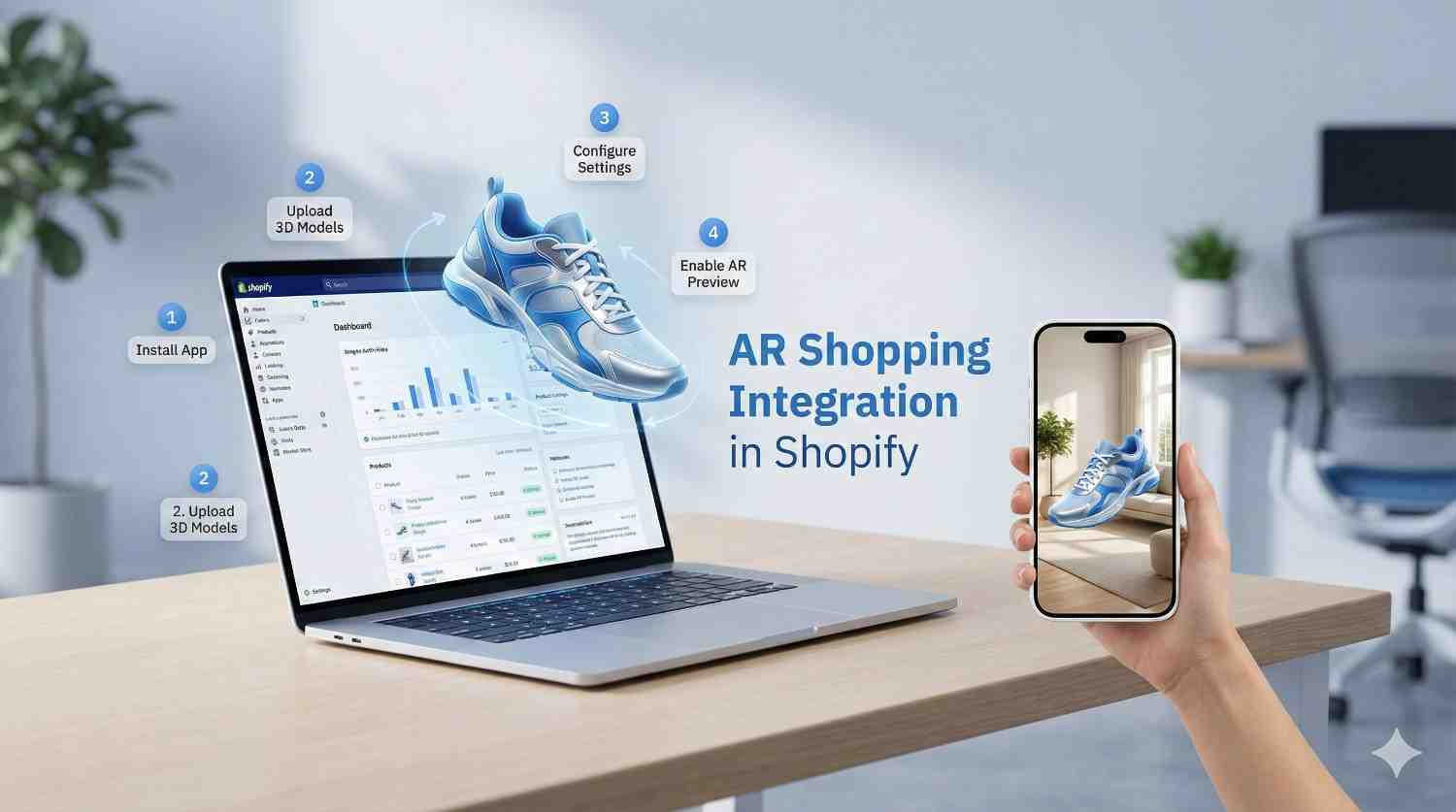
Have you noticed shoppers looking at your Shopify store, checking product images repeatedly, but leaving without making a purchase? This hesitation often stems from one issue: they can’t visualize the product well enough.
In today’s ecommerce landscape, static images and videos often fall short. Customers need confidence before buying, especially when it comes to furniture, fashion, décor, and lifestyle products. This is where AR shopping integration on Shopify can make a difference.
With augmented reality, shoppers can see products in their actual environment—on their table, wall, or even on themselves—before they order. In this guide, we’ll cover everything you need to know about Shopify AR shopping, from setup to best practices, in an easy-to-follow way.
Shopify AR shopping uses augmented reality technology to allow customers to view 3D products in their surroundings using smartphones or tablets. Instead of just imagining how a product will look, shoppers can interact with it in real time.
With Shopify 3D and AR features, merchants can:
This makes augmented reality shopping Shopify experiences more immersive and engaging.
Shopify AR product visualization helps shoppers understand size, texture, and placement. This leads to better buying decisions.
When customers can visualize products accurately, they’re more likely to purchase.
Clear expectations mean fewer surprises after delivery. That’s why augmented reality ecommerce solutions for Shopify are becoming a competitive advantage rather than a luxury.
Before diving into Shopify augmented reality integration, make sure you have the basics ready:
Many merchants partner with a Shopify development company to ensure everything is set up correctly from the start.
AR starts with accurate 3D models. These models should reflect:
You can create models using 3D design tools or outsource this step to professionals offering shopify AR integration services.
Once ready, upload your 3D models directly to Shopify:
Shopify automatically detects compatible files and enables Shopify AR product display.
After uploading, Shopify activates the “View in Your Space” button for supported devices.
This feature allows:
This step officially completes your Shopify AR shopping setup for Shopify stores at the product level.
AR works best when combined with great design.
Improve product pages by:
This is where shopify website design and development services play a major role in user experience.
Testing is critical. Check AR functionality on:
Ensure the experience is smooth, loads quickly, and displays products accurately.
Don’t assume customers will discover AR on their own.
Promote Shopify AR shopping through:
The more visibility your AR features get, the higher their impact.
Customers can see how sofas, tables, or lamps fit into their space.
AR helps shoppers visualize fit, style, and appearance.
Buyers can better grasp product size and placement. These examples show why Shopify’s AR solution for ecommerce is becoming essential for competitive stores.
While Shopify makes AR accessible, successful implementation still requires planning.
Professional shopify development services help with:
An experienced shopify development company ensures AR features enhance your store instead of slowing it down.
AR works best when integrated into the broader shopping journey.
With professional store development services, you can:
This turns AR from a feature into a conversion tool.
Optimize 3D models to ensure fast loading.
Test across multiple platforms to avoid broken experiences.
Use tooltips and guides to help users understand AR features. Working with Shopify AR integration services can help tackle these challenges efficiently.
AR technology is advancing quickly. Shopify continues to expand its native AR capabilities, making integration easier and more effective.
Soon, we’ll see:
Merchants who adopt AR early will stay ahead of customer expectations.
AR shopping integration on Shopify is now essential. It’s a valuable way to increase confidence, engagement, and conversion rates.
By using Shopify’s 3D and AR features, businesses can create immersive shopping experiences that connect online and in-store buying. Whether you manage it in-house or collaborate with a reliable Shopify development company, investing in AR today sets your store up for the future of ecommerce. If you want shoppers to stop guessing and start buying, AR is the answer.
AR shopping integration in Shopify allows customers to view products in real-world environments using augmented reality. By using 3D models and supported devices, shoppers can visualize size, placement, and appearance before purchasing. This helps them make more confident buying decisions directly from a Shopify store.
Most modern Shopify plans support AR functionality, but successful implementation depends on having a compatible theme and supported devices. Merchants should also ensure their products include properly formatted 3D models to activate Shopify’s built-in AR features for customer use.
Yes, 3D models are needed for Shopify AR shopping. These models allow for accurate product visualization in augmented reality, letting customers view items in their space. High-quality, optimized 3D files are crucial for smooth performance and realistic AR experiences.
Yes, AR shopping increases conversion rates by lowering uncertainty and boosting buyer confidence. When customers can see how products look and fit in real life, they are more likely to complete purchases and less likely to return items after delivery.
Hiring a Shopify development company ensures AR features are set up properly and work well across devices. Professionals manage 3D optimization, theme compatibility, and performance tuning, helping businesses enhance AR experiences while avoiding technical issues and maximizing return on investment.

© 2025 Crivva - Hosted by Airy Hosting Managed Website Hosting.