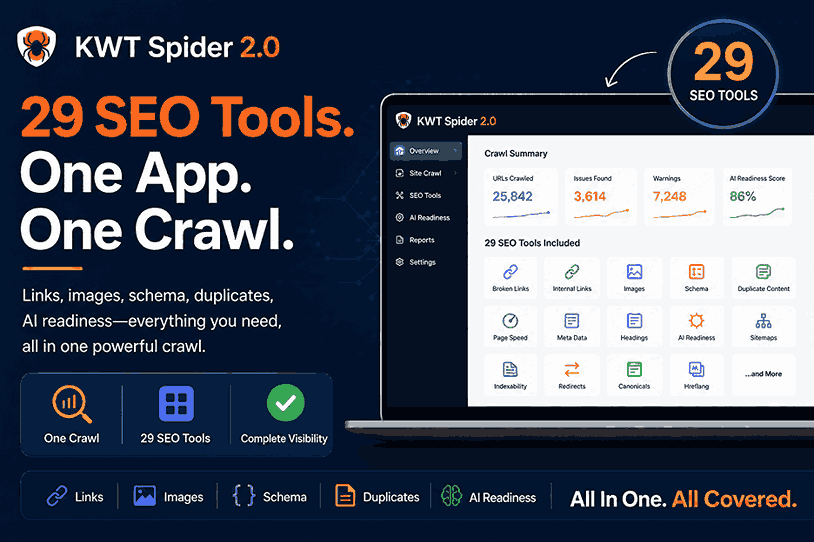


CHARLESTON, South Carolina – July 27, 2026 – Today KWT Solutions released KWT Spider 2.0, a major update to its desktop SEO crawler that bundles 29 different analysis tabs into one application. It covers everything from broken links and duplicate content to structured data and AI search readiness. The update addresses an issue most SEO teams are familiar with: performing a proper technical audit usually involves opening five or six different tools, exporting data from each and manually piecing it all together.
You know how this works if you have ever done a full technical SEO audit. One tool checks for broken links. Another one is about image ALT text and file sizes. A third confirms structured data. A fourth is for duplicate content. And increasingly, a fifth is needed just to see whether a page even stands a chance of showing up in an AI-generated answer. Each of these tools has its own login, its own export format, its own way of naming things – so a lot of the actual time on an audit is spent reconciling data, not fixing problems.
All of this was predicated on the idea that KWT Spider 2.0 would be one crawl. This tool doesn’t just throw AI features on top of a legacy link checker. It treats technical SEO, content quality, and AI search readiness as one job — because for most teams they are.
The 29 tabs roughly divide into a few working groups, each addressing a different slice of a site’s health:
• Overview – site-wide KPIs, what’s working, what needs attention, running list of quick wins
• Crawled Pages — the master inventory of all found URLs, with status, indexability and score
• Crawl Issues—Issues grouped by severity and URLs affected, so fixes can be prioritized based on impact
• Broken Internal Links – source to destination mapping for each broken path on the site
• HTTP Status – all response code, redirect chain and issue types at a glance
• Title tags, meta descriptions and heading hierarchy across all pages
• Thin content and duplicate content detection
• Structured data validation, missing fields highlighted inline
• Link value, follow mix, domain outbound link analysis
• Image audit for missing alt text, oversized files and broken references
• Page-level GEO/EEAT scoring for citation potential, entity coverage and trust signals
• GEO competitor gap analysis, where a page’s AI readiness signals are compared to a competitor’s
• Automatic generation of llms.txt from the same crawl
Besides the 29 main tabs, clicking any individual URL opens up to 15 detail panels. Things like incoming and outgoing links for that specific page, its raw HTML source, HTTP headers, cookie inventory and a dedicated GEO panel showing AI citation and EEAT scores at page level. The idea is that when an issue is found in the main tabs, there is no need to switch tools to investigate it.
If a tool surfaces this much data, it’s only useful if it’s easy to hand off, so KWT Spider 2.0 also comes with a full export and reporting layer:
• HTML reports for clients with an executive summary
• CSV and Excel exports with clear column mappings
• Bulk export sets – All, Internal, External, Images, Canonicals, Issues – single click
• Pre-built reports for issue summaries, duplicate content, canonicals, and indexability
• Page, image, index, and HTML sitemap generation, plus the newer llms.txt output • Visual charts for status, crawl depth and indexability and a site architecture tree for stakeholder decks
None of this works if the tool crashes on a real website, so a lot of the 2.0 update was dedicated to performance, not new features. Crawl storage is now SQLite-backed with lazy loading, keeping things responsive on sites well beyond 50,000 URLs — a point where many browser-based crawlers start to slow down. A freeze watchdog also looks for stalls during heavy crawls. List data is painted in slices instead of loading everything into memory all at once, so the interface remains usable and doesn’t freeze mid-audit.
“We kept hearing the same thing from people using the tool — they weren’t asking for one more feature, they were asking to stop switching between five different apps just to finish one audit. None of these tabs is revolutionary in and of itself. “They all live in the same place, pulled from the same crawl,” said a KWT Solutions spokesperson.
The importance of consolidation applies especially to two groups:
• Agencies conducting audits across multiple clients who require consistent and exportable reports without having to re-learn the export format of a new tool for each workstream
• Enterprise site owners and in-house teams managing large, complex sites, where pulling data from disparate tools for links, images, schema, and AI readiness is a project in and of itself before the actual audit work can even begin.
For both groups, the pitch is less about one capability and more about time — fewer tools open at once, fewer exports to reconcile, and one crawl that answers most of the questions a technical audit needs answered.
KWT Spider 2.0 for Windows has been released and includes all 29 analysis tabs and 15 URL detail panels.
KWT Spider was born as a simple technical SEO crawler and has grown release by release into something more like a full audit workbench. The team behind it learns mostly by observing how audits are actually done in practice — what tools people reach for, where they get hung up, and what steps continue to take up time that could be spent fixing a site. That approach scaled up is version 2.0: an attempt to get everything a technical SEO audit usually demands into a single crawl instead of one big new feature.
KWT Solutions Support Team
Email: [email protected]

© 2025 Crivva - Hosted by Airy Hosting Managed Website Hosting.