

Many users jump right into the features of any PDF management software they install and forget to check whether their Mac is really ready to run it. The system requirements may seem to be trivial, but they are often the key factor in the smooth operation of the tool in day-to-day tasks. This review is not only about the editing capabilities of Mailvita PDF Suite for Mac. Rather it sheds light on the system requirements and installation readiness of the software. According to the specs we have, the software is supposed to make installation easy and work with both older and newer macOS systems. If you’re thinking of adding a PDF utility for your Mac, here’s what to consider before downloading it.
One of the first things you notice about the software is the light installation requirements. This tool doesn’t try to be like some modern apps that demand several gigabytes of storage space and the latest operating system.
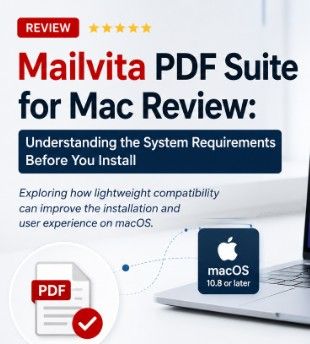
The app runs on macOS 10.8 and later and should work on a wide variety of Mac computers. That’s especially helpful for users who are still working on slightly older Mac devices. Upgrading hardware isn’t always an option, so many businesses, educational institutions and freelancers are still running older versions of macOS. “By supporting macOS 10.8 and above, more users will be able to install the software without having to upgrade their systems straight away.
It only requires 512 MB of RAM as the minimum memory requirement. Modern Macs usually ship with much more memory, but a low RAM requirement usually means the software is lightweight and doesn’t use up too many system resources. For users who tend to have several applications open at once, such as Mail, Safari, Excel and Finder, a lighter application usually translates into less slowdowns during everyday work.
You will need at least 512 MB of free disk space to install. Many PDF apps have huge libraries, templates or other elements which can bloat the install size considerably. The footprint is fairly small, making this software easy to install, especially on Macs with limited SSD storage.
The specifications also mention another practical aspect: the process of software delivery.
With digital delivery, users looking for a PDF solution quickly won’t have to wait for physical media or long shipping times. Once downloaded, installation is usually straightforward, needing just the standard installation steps common to most macOS applications.
The current release is available with an English language interface. English remains the lingua franca of productivity software for most international users. The interface seems to be more about simplicity than about many language packs, and this makes the navigation easier.
Software quality isn’t just about features. Support matters too.
A variety of communication options provide flexibility depending on the urgency of the issue. If you have questions about installation, licensing, or technical issues, you can contact the support team in many ways.
The system requirements imply that the software is created for a broad range of users, not just those with powerful Mac systems. It might be particularly good for:
Users that need to edit, merge, split or organize PDF documents from time to time, but don’t need enterprise software.
If your company has a mix of older and newer Macs, you shouldn’t have major compatibility issues deploying the software.
Students often have little storage space on their MacBook. It’s practical for academic use for its light installation requirements.
Freelancers who swap contracts, invoices, reports, and documentation will usually welcome software that installs quickly and runs without demanding too much in the way of system resources.
System specifications are not a direct indicator of software performance, but they give some good clues. The low hardware requirements suggest that the application is designed to efficiently perform daily PDF-related tasks without placing heavy demands on the system. Users with current Macs will likely have no problem meeting these requirements and will have additional system resources available to multitask alongside other productivity applications.
Picture a freelance designer who routinely gets PDF contracts and client documents, but still has an older MacBook that’s good enough for creative work. Installing heavy PDF software could slow the system down or upgrade it unnecessarily. This application supports older versions of macOS and requires little memory and storage space, enabling the designer to quickly install this application and continue managing PDF documents without sacrificing valuable disk space or overall system performance.
Based on the specs we have, it looks like the installation process is designed to be simple. The overall workflow would be:
If you have installed applications on your Mac before, you should be familiar with the process.
Ease of Installation 5/5 System Compatibility 5 / 5 Hardware Requirements 5/5 Ease of Setup 4.5/5 Support Availability 4/5 Overall Rating: 4.8/5
The software reviews tend to focus on editing features and PDF features, but the installation experience deserves equal attention. One thing that makes Mailvita PDF Suite for Mac stand out is that it keeps its system requirements refreshingly low. Mac OS X 10.8 and higher, minimal RAM and storage requirements, electronic and fast delivery, multiple support channels: these are the things that make it accessible for a wide range of Mac users. One of the biggest advantages of the software is the lightweight approach. Anyone who is looking for a PDF utility that can be installed without worrying about demanding hardware specifications will appreciate this. Instead of demanding the latest Mac config, it emphasizes compatibility and easy deployment, features that are still important to the individual user and the small organization.

© 2025 Crivva - Hosted by Airy Hosting Managed Website Hosting.