

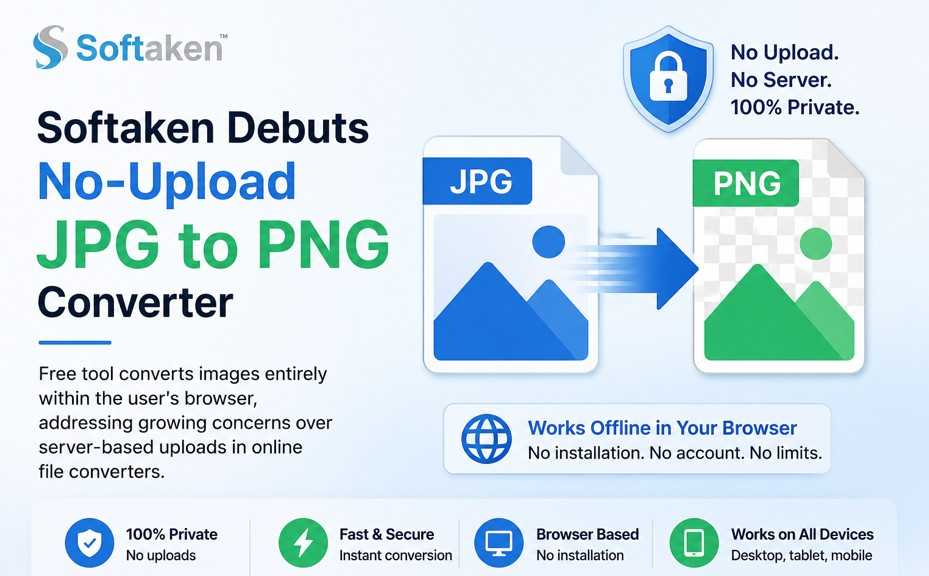
Romania – July 13, 2026 – More and more people are worried about where their files are going when they use free online converters and the need of a tool that doesn’t require uploading personal images to a remote server has been steadily increasing. As a response, Softaken Software, a company well known for its file conversion, recovery and backup utilities has rolled out a free JPG to PNG Online Tool that does the entire conversion inside the user’s browser, with no files ever sent to Softaken’s servers.
Softaken has been designing conversion and recovery software for email, documents and images for over a decade, but is now turning its attention to lightweight, browser-based utilities that solve everyday formatting problems. There is no need to install these utilities or set up an account. For anyone who just needs to switch a file’s format without installing anything, that’s where the latest addition to that lineup comes in: the JPG to PNG converter.
Format conversion is a constant in web design, publishing, graphic editing, or just everyday device use, but many of the converters available online still send your files to a remote server first. That alone raises fair questions about how long the file stays there, and who might have access to it while it’s being processed. However, Softaken’s tool bypasses that step by converting it locally in the browser itself.
JPG is one of the most commonly used formats for images in everyday use, largely because it produces small file sizes due to compression. But that same compression dumps image data each time you save, so multiple edits can gradually degrade quality. PNG takes a different approach, with lossless compression that means the image data is exactly as it was when converted. Converting from JPG to PNG is a common and practical step for users who want to edit an image many times, submit it to a platform with specific format requirements, or just want a copy that will not degrade further. Softaken’s tool has been designed to allow that step without any added friction.
The file you drag into the tool stays on your device throughout the conversion. No image data is sent anywhere and no login or personal information is requested. Softaken says this design comes directly from user feedback about privacy issues around cloud-based file tools.
“Many people don’t realize that their picture is just sitting on a server somewhere, waiting for someone to change the file extension,” said a representative for Softaken Software.
That’s the whole point, conversion happens on the person’s own device.
The process for the converter is simple; 3 steps:
• Upload the image — Drag a JPG file into the browser window or select one manually from your device.
• Set parameters — You can change output sizes and other basic options before conversion.
• Download result – The converted image is displayed in a canvas preview and can be saved directly to a PNG file. The tool works even if there is no internet connection once the page is loaded for the first time because all the processing is done on the client side.
Softaken says that converting JPG to PNG will not magically restore the quality you lost when you saved the original JPG because that data is gone forever the second you save the JPG. The conversion gives you a lossless format going forward, that is the resultant PNG file will not lose any more quality through multiple edits or saves, unlike a JPG that’s re-saved several times.
PNG’s support for transparency is not retrospective, the company also says. You can convert it to PNG, but a JPG file does not have transparency data at all, so you will not get a transparent background unless the image you are converting already has transparency. Expect PNG files to be larger than the original JPG, too. That’s the tradeoff of lossless compression, and according to Softaken, it’s usually worth it when preserving image quality is more important than keeping the file small.
The company has taken these differences and put them into the tool’s documentation, preferring plain explanations to bold statements about what the conversion can do. According to the company, users of the other tools from Softaken have asked for that kind of plain-language guidance repeatedly, most of them not technically minded, they just want a clear answer on what actually changes (and what doesn’t) when they switch formats.
The tool only works on one image at a time, which is fine for most individual cases — say, resizing a photo for a website that only accepts PNGs, or converting a file before editing so repeated saves don’t chip away at its quality. For regular bulk image conversion or more advanced editing controls, Softaken recommends its downloadable Windows software with batch processing capabilities.
Among the free browser-based tools in Softaken’s collection of online tools that also contains converters for other image formats and document types, the JPG to PNG converter has been launched. All tools in this collection work the same way under the hood, locally (without uploading your files), for free.
The JPG to PNG tool is free and works on modern browsers, desktop or mobile, such as Chrome, Firefox, Edge and Safari and does not require an account or subscription. Now it is available at https://www.softaken.com/online/jpg-to-png/
Softaken Software is developing data conversion, recovery, backup and file management tools since 2015. The company’s products include email and mailbox converters, file repair and recovery utilities, and PDF tools, as well as a growing number of free browser-based converters for images and documents. Softaken provides users with easy and reliable file handling without a steep learning curve with both desktop software and online tools.
Softaken Software
Website: https://www.softaken.com
Product Page: https://www.softaken.com/online/jpg-to-png/
Support Email: [email protected]
Sales Email: [email protected]
Help Desk: https://www.softaken.com/help-desk
Phone (UK): +44 800 368 8867

© 2025 Crivva - Hosted by Airy Hosting Managed Website Hosting.