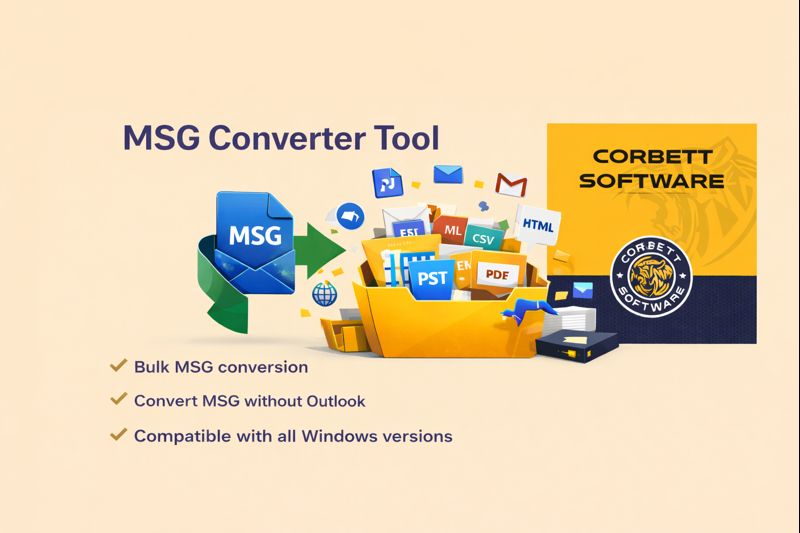
Corbett MSG Converter is a professional software that allows users to convert MSG files in bulk without file size limits. It is designed with a user-friendly interface suitable for both professional and non-professional users. It allows users to convert large MSG mailboxes while preserving email integrity during the conversion process.
MSG file converter also provides a detailed preview of data in multiple viewing modes before conversions. The software allows users to to convert MSG files into multiple file formats such as MSG to PDF, PST, EML, MSG, HTML, and more. It allows users to view files in content, message header, properties, hex view and raw messages. Users can also import emails to cloud platforms like Gmail, Office 365, G Suite and IMAP Server. It is also compatible with all versions of operating systems whether you have the latest or oldest.
Features of MSG File Converter Tool
- Batch Export MSG Files: The software provides fast and reliable conversion that allows users to add unlimited MSG files at once with no file size limits. Users can upload single and multiple MSG files/folders and convert them without any data loss or file corruption.
- Convert MSG Files to Different Formats: Users can also convert their file into different file formats according to their business needs and requirements. It allows users to convert file into MBOX, PST, PDF, CSV and also lets you migrate data to cloud based email clients without losing any email data.
- Preview MSG files for quick analysis: The converter also offers preview modes that allows users to check data before performing the migration process. It allows users to check and analyze emails in different modes like content, message header properties and more. Once you have completely analyzed the MSG mailbox data, you can further convert them to your preferred file format.
- File Naming Options to Save Output Files: Users can also choose a desirable output file format and name. The software offers numerous file naming conventions. For example Subject, Subject + Date (DD-MM-YYYY), From + Subject + Date (YYYY-MM-DD), From + Date (YYYY-MM-DD-HHMM), Auto Increment etc.
- Preserves Original Folder Structure: The software provides reliable conversion and 100% data integrity. During and after the conversion process, software preserves all email attributes, meta headers (to, from, cc, subject, sent/received details) formatting (font, style and size, hyperlinks) inline images, message body, etc.
- User-friendly Interface: The software has a simple and easy-to-understand design whether you are a professional and non-professional user you can easily convert files without any technical assistance. If you face any problem you can connect with the technical support team for software query and modification if you require.
- Compatible with All Versions of Windows: The MSG Converter software supports all Windows operating systems whether the latest or oldest version you have. The converter is easy-to-download and can be installed on any Windows version. For example Windows 10, 8.1, 8, 7, XP, etc.
Steps to Use New Version of MSG Converter:
- Download and run the MSG Converter tool on the Windows machine.
- Click open and choose MSG files from the software panel.
- Now, check and preview all MSG emails before continuing to the next step.
- Then, click export and choose the file format that you need like MSG to PST, CSV, PDF, EML, and many others.
- Now click on the “Browse” button to select location and hit “Save” to begin the conversion process.
- After the conversion process is completed, check the converted MSG files.
Note: MSG is a Outlook compatible file format that stores a single email message. It contains complete email data, including sender, recipient, subject, message body, attachments, and formatting. MSG files are mainly used on Windows, and email services like Gmail and Yahoo Mail can’t open them directly.
Why to Choose Automated Solution to Convert MSG Emails?
- The software allows users to convert files along with attachments and get accurate conversion.
- Convert files into different formats like PST, MBOX, EML, MSG, Portable Document Format, TXT, HTML, CSV, ICS and more.
- Supports conversion of multiple mailboxes in batch. It allows users to save time when dealing with large datasets.
- With no size restrictions you can convert large files without risk of corruption and data loss.
- Migrate MSG files directly to cloud web accounts such as Gmail, Yahoo, Outlook.com, Office 365, Exchange Server, G Suite and more.
- The tool is ideal for forensic users to deeply analyze and review data in different modes. It allows them to get relevant evidence.
- It allows users to convert selective files using Date, Attachments and filters options. Users can get required conversion as per needs and requirements.
- You can also appeal for software personalization but you have to pay for those features you extra add on software to fulfill your need.
- The customer support team is available 24/7 if you need technical guidance directly.
Cost and Availability
The Corbett Software website offers MSG File Converter Version 5.3 for instant download. To meet a range of user requirements and costs, the application is available in different license choices, such as personal and business plans. Also, the tool offers a free trial version so that new clients can try out the software functionality of the program before making a purchase decision. With the demo version users can convert and open 10 messages from each folders.
Personal License – For 5 computers, $99. Supports batch migration, attachments, phone/email extraction, and saving in EML, PST, MBOX, PDF, HTML, CSV, vCard, and more. Lifetime use with 24/7 support.
Business License – For 25 computers, $299 (was $499). In addition to all personal license features, it supports email servers and cloud accounts like Gmail, G Suite, Office 365, IMAP, Yahoo, and Outlook.com, making it perfect for small to medium businesses.
Enterprise License – For 100 computers, $499 (was $999). It provides all business license features, plus full-scale enterprise support, lifetime validity, and round-the-clock customer assistance.
Press Contact Details
For any inquiries related to MSG Converter software, you can directly contact with us on:
Company Name: Corbett Software
Email ID: [email protected]
Phone: +1-626-521-5559