

A contact page is one of the most important pages on a business website. It is often the final step before a visitor becomes a lead, customer, or client. After checking services, reading about the business, viewing testimonials, or comparing options, users usually visit the contact page to take action. If this page is confusing, slow, incomplete, or poorly designed, the business may lose valuable enquiries.
Many businesses give more attention to homepage design and service pages but ignore the contact page. However, a well-designed contact page can directly influence how many people call, message, submit a form, request a quote, or book a consultation. For businesses that want better enquiry-focused websites, working with a professional website design agency in Mangalore can help create pages that are clear, user-friendly, and conversion-focused.
The contact page is not just a place to display a phone number or email address. It is a conversion point. When users reach this page, they already have some level of interest. The job of the page is to remove doubts and make the next step easy.
A good contact page helps businesses improve:
If the contact page creates friction, visitors may leave even if they were interested in the service. This is why design, layout, content, form structure, and contact options all matter.
A contact page should be simple and easy to scan. Visitors should immediately understand how to contact the business. If the page is cluttered with too much text, unclear sections, or hidden contact details, users may feel confused.
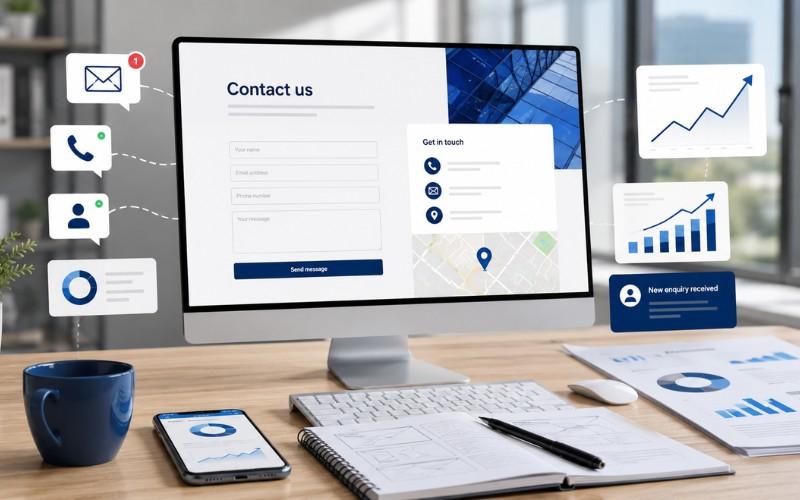
A strong layout should include a clear heading, short intro message, contact form, phone number, email address, location, business hours, and map if required. These elements should be arranged neatly so users can quickly choose their preferred contact method.
The goal is to make the page feel professional and trustworthy. A clean layout improves confidence and helps visitors take action faster.
The enquiry form is one of the most important parts of the contact page. If the form asks for too many details, users may not complete it. A long form can feel time-consuming, especially for mobile users.
A good contact form should ask only for essential details such as name, phone number, email address, service requirement, and message. For most businesses, this is enough to begin a conversation. Additional details can be collected later through a call or follow-up message.
Short forms reduce friction and increase the chances of submission. They also make the enquiry process feel easier and more user-friendly.
A call to action tells visitors what to do next. On a contact page, the CTA should be clear, direct, and action-focused. Instead of using only “Submit,” businesses can use stronger button text like “Send Enquiry,” “Request a Quote,” “Book a Consultation,” or “Talk to Our Team.”
A strong CTA creates clarity. It helps users understand what will happen after they click. The CTA button should also be easy to see, mobile-friendly, and placed near the form or contact options.
Without a clear CTA, visitors may hesitate. With the right CTA, they feel guided toward the next step.
Many users visit business websites from mobile phones. If the contact page is not mobile-friendly, the business may lose enquiries. Mobile users usually want quick access to call, WhatsApp, location, or form options.
A mobile-friendly contact page should have readable text, tap-friendly buttons, properly spaced form fields, fast loading speed, and click-to-call features. WhatsApp buttons are also useful for businesses that receive enquiries through instant messaging.
The easier the contact process is on mobile, the better the chances of getting real enquiries.
Visitors may hesitate before sharing their personal details. Trust signals can help reduce this hesitation. A contact page should show that the business is genuine, reliable, and easy to reach.
Useful trust signals include customer reviews, testimonials, office address, map location, professional email address, business hours, certifications, privacy assurance, and response time information.
For example, adding a short line such as “Your details are safe with us” or “Our team will respond within 24 hours” can make users feel more comfortable submitting the form. Small trust elements can improve enquiry confidence.
Not every visitor prefers the same contact method. Some users may want to call directly, while others may prefer email, WhatsApp, or a contact form. A good contact page gives users more than one way to connect.
Useful contact options include:
Providing multiple options improves convenience. It also helps businesses capture enquiries from different types of users.
For local businesses, location details are very important. Customers often want to know where the business is located, whether it serves their area, and how easy it is to visit or contact.
The contact page should include correct business address, local phone number, map location, service areas, opening hours, and nearby landmark if useful. These details help build local trust and improve user experience.
Accurate local information also supports local SEO because it helps search engines and customers understand the business location clearly.
Even a well-designed contact page may fail if it loads slowly. Visitors may leave before the form or contact details appear. Slow loading is especially harmful for mobile users.
Businesses should check image size, form loading time, plugin performance, server speed, and unnecessary scripts. A fast contact page creates a smoother experience and helps users complete the enquiry without delay.
Speed is not just a technical factor. It directly affects user patience, trust, and conversions.
Microcopy means small supporting text used near forms, buttons, or fields. It helps users understand what to do and what to expect.
Examples include:
Good microcopy reduces confusion and makes the enquiry process smoother. It also makes the page feel more professional and user-focused.
A contact page should be connected with tracking tools. Without tracking, businesses may not know how many users visit the page, submit forms, click phone numbers, use WhatsApp, or abandon the form.
Important tracking points include form submissions, call clicks, WhatsApp clicks, email clicks, map clicks, and page visits. This data helps businesses understand whether the contact page is performing well or needs improvement.
Tracking also helps improve marketing decisions because the business can see which campaigns or pages are generating enquiries.
Many businesses lose leads because of simple mistakes. Common contact page mistakes include long forms, missing phone numbers, broken forms, weak CTA buttons, slow loading speed, no mobile optimization, incorrect address details, poor spacing, no thank-you message, and no trust signals.
These issues may seem small, but they can reduce enquiries. Fixing them can make the website more effective and improve business results.
Contact page design has a direct impact on business enquiries. A visitor who reaches the contact page is usually close to taking action. The page should make that action simple, clear, and trustworthy.
A strong contact page should include a clean layout, simple form, clear CTA, mobile-friendly design, trust signals, local details, multiple contact options, fast loading speed, helpful microcopy, and proper tracking. When these elements work together, the contact page becomes more than a basic website section. It becomes a powerful lead-generation tool.
Fine Digital Marketing Agency helps businesses create professional and conversion-focused website designs that support better enquiries, stronger trust, and long-term business growth.

© 2025 Crivva - Hosted by Airy Hosting Managed Website Hosting.