

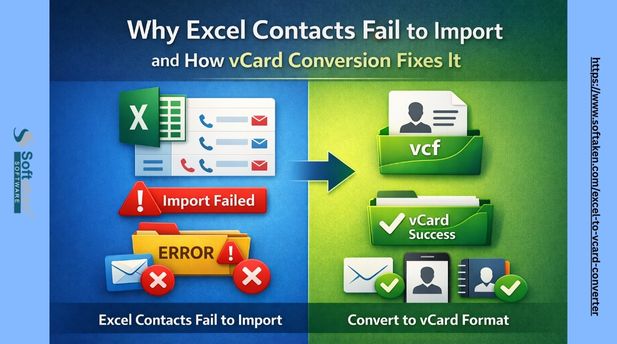
Excel to vCard Converter: Why Excel Contacts Fail to Import
Searching for an Excel to vCard Converter usually starts after something breaks.
Contacts fail to import. Phone numbers lose labels. International names appear corrupted. Gmail, iPhone, Android, or Outlook imports only partial data.
The root cause is simple but widely misunderstood: Excel is not a contact format. vCard (VCF) is.
This guide explains why Excel-based contact files fail, how vCard solves these issues at a standards level, and how to convert spreadsheet contacts safely without data loss. The focus is long-term reliability, not shortcuts.
Why Excel Contact Files Break During Import
Excel files (XLS, XLSX, spreadsheets, contact sheets) store data as flat rows and columns. Contact applications do not interpret data this way.
Excel lacks awareness of:
- Contact structure and identity
- Phone number types (mobile, work, home)
- International number formatting rules
- Character encoding standards
- vCard version compatibility
Because of this, Excel imports often fail silently.
Common Excel Contact Import Issues
- Country codes removed or altered
- Leading zeros dropped
- Multiple phone numbers merged incorrectly
- Email and address fields misaligned
- Unicode text corruption (Hindi, Arabic, accented characters)
- Blank rows causing skipped contacts
These are format limitations, not software bugs.
What Is vCard (VCF) and Why Contact Apps Prefer It
vCard, also known as VCF or digital contact format, is the global standard for contact exchange.
It is natively supported by:
- Google Contacts (Gmail)
- Apple Contacts (iPhone, iPad, macOS)
- Android devices
- Microsoft Outlook
- CRM and email platforms
Unlike Excel, vCard defines each contact attribute explicitly.
How vCard Structures Contact Data
- FN — Full Name
- TEL;TYPE=CELL — Mobile number
- TEL;TYPE=WORK — Office number
- EMAIL;TYPE=HOME — Personal email
- UTF‑8 encoding for international characters
This structure ensures consistent imports across platforms.
Why Excel to vCard Conversion Is Necessary
Direct Excel or CSV imports may appear successful but often lose data behind the scenes.
Proper conversion to vCard ensures:
- Accurate phone number labels
- Preserved country codes
- Support for multiple emails and numbers
- Unicode-safe names
- Cross-platform compatibility
If contact accuracy matters, conversion is not optional.
How an Excel to vCard Converter Works
A reliable Excel to VCF converter follows four steps:
- Reads spreadsheet data without altering formats
- Allows manual column-to-field mapping
- Applies vCard formatting rules
- Exports standards-compliant VCF files
Professional tools also support vCard 2.1, 3.0, and 4.0 for platform compatibility.
Excel to vCard Conversion Methods Compared
Manual CSV Conversion
Best for very small lists.
Risks include encoding errors, field mismatch, and data loss.
Online Excel to vCard Converters
Useful for non-sensitive data.
Limitations include file size caps, limited mapping control, and privacy concerns.
Offline Excel to vCard Software
Preferred for business and international contacts.
Offline tools process data locally, preserve encoding, and allow precise field mapping. Tools such as Softaken Excel to vCard Converter follow this standards-first approach by treating phone numbers as text, enforcing UTF‑8 encoding, and exporting platform-compatible VCF files.
Real-World Excel to vCard Conversion Case
In a migration test involving a 1,000-row Excel contact sheet, direct CSV import into Google Contacts dropped phone labels, altered country codes, and merged some contacts incorrectly.
When the same file was converted into a structured vCard (VCF) using proper field mapping and UTF‑8 encoding, all contacts imported correctly. Phone labels remained intact, international names displayed properly, and no contacts were skipped.
This demonstrates why standards-based vCard conversion delivers consistent results.
Excel vs CSV vs vCard (VCF): Contact Import Comparison
- Contact structure: Excel – No, CSV – Limited, vCard – Yes
- Phone label support: Excel – No, CSV – Weak, vCard – Yes
- Unicode names: Excel – Breaks, CSV – Risky, vCard – UTF-8 safe
- International numbers: Excel – Altered, CSV – Inconsistent, vCard – Preserved
- Bulk import reliability: Excel – Low, CSV – Medium, vCard – High
- Privacy (offline use): Excel – Depends, CSV – Depends, vCard – Yes
Advanced Excel to vCard Conversion Considerations
Unicode and International Contacts
UTF‑8 enforcement is essential for non‑English names. Weak converters corrupt multilingual data.
Phone Label Accuracy
Without manual mapping, mobile and work numbers often import incorrectly.
Choosing the Right vCard Version
- vCard 2.1 — legacy systems
- vCard 3.0 — safest universal option
- vCard 4.0 — modern platforms
Excel to vCard Conversion and Data Privacy
Uploading contact files online can conflict with data protection policies. Offline conversion keeps data local and controlled.
Excel to vCard Conversion: Final Verdict
Excel stores data. vCard preserves relationships.
For accurate, future‑proof contact imports across Gmail, iPhone, Android, and Outlook, converting Excel files to vCard using standards‑based tools is the only reliable approach.
Author & Expertise
Author: Data Migration & Contact Management Specialist Experience: 8+ years working with contact data and contact‑format compatibility Platforms Tested: Gmail, Outlook, iOS Contacts, Android devices Focus Areas: Unicode handling, privacy‑safe migration, and standards‑based conversions
This guide is based on hands‑on testing and real‑world contact migration scenarios, not promotional claims.
Frequently Asked Questions (FAQ)
1. Why do Excel contacts fail to import correctly into Gmail or phones?
Excel is not designed to store contact relationships. It treats phone numbers and emails as plain cells, which causes labels, country codes, and formatting to break during imports. Contact apps expect structured formats like vCard.
2. Is CSV better than Excel for contact import?
CSV is slightly better but still limited. It does not reliably support phone labels, multiple numbers, or Unicode characters. CSV imports may look successful but often lose data silently.
3. What makes vCard (VCF) more reliable than Excel or CSV?
vCard defines each contact field explicitly, such as mobile numbers, work emails, and encoding standards. This structure ensures consistent imports across Gmail, iPhone, Android, Outlook, and CRM systems.
4. Will Excel to vCard conversion preserve international names?
Yes, if the converter enforces UTF-8 encoding. Proper tools prevent corruption of Hindi, Arabic, accented, and non-English characters that commonly break in Excel or CSV imports.
5. Can I convert Excel contacts to vCard without losing phone labels?
Only when manual column-to-field mapping is used. This ensures mobile, home, and work numbers are assigned correctly instead of being merged or misread.
6. Are online Excel to vCard converters safe to use?
They may be suitable for non-sensitive data, but uploading contact files can raise privacy concerns. File size limits and weak field mapping are also common issues.
7. Which vCard version should I use?
vCard 3.0 is the safest option for most platforms. vCard 2.1 is for legacy systems, while vCard 4.0 works best on newer platforms but may not be universally supported.
8. Is offline Excel to vCard conversion better for business use?
Yes. Offline tools keep data local, maintain encoding accuracy, and provide better control over contact structure, making them more reliable for large or international contact lists.










