


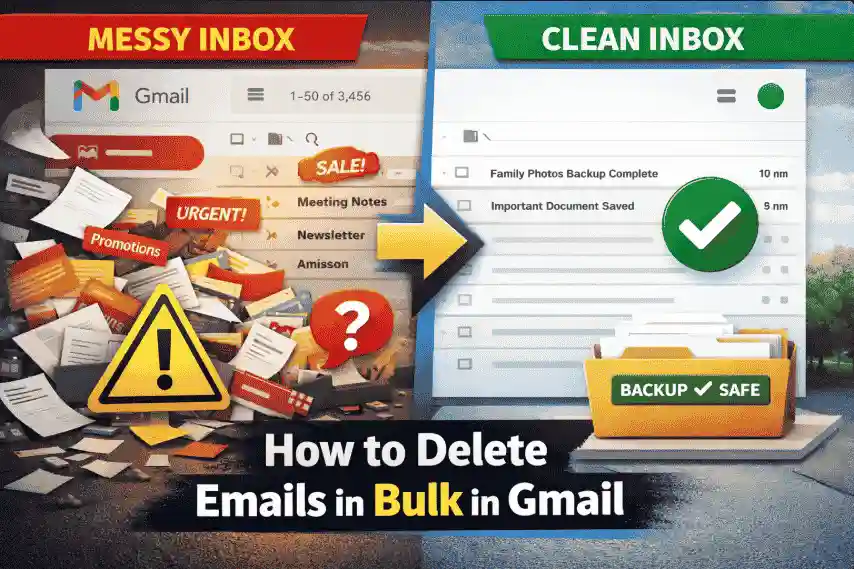
Blog Blurb: You open Gmail on a Monday morning, and your inbox looks like a storage room no one cleaned for years.
Promotions, alerts, old work emails—thousands of them.
You want everything gone now, but one wrong click could delete something you’ll desperately need later. This guide shows you how to clean Gmail safely, step by step, without regret.
When people search how to delete emails in bulk in Gmail, they are not just looking for speed. They are looking for certainty that nothing important will be lost while clearing the mess.
Deleting emails in bulk feels scary because Gmail is not just an inbox.
For many people, it’s a digital box, holding tax receipts, medical updates, school emails, and legal records. This is the reason I am going to brief you on how to Delete Emails in Bulk in Gmail via the Gmail backup tool. Think of a professional tool as a safety net before you make the big clean-up move. Just like a pilot studies the map before takeoff, this tool helps you secure every important email first.
The perfect approach is to create a copy of your inbox old emails, attachments, and records, so nothing valuable is lost by mistake. Once your data is safely stored, deleting emails in bulk no longer feels risky or stressful. You gain confidence, clarity, and control. For people who rely on Gmail for work, finances, or personal records, this approach turns a scary decision into a smart, well-planned move.
Imagine an office cabinet filled with folders. Now imagine throwing the entire cabinet away just to remove junk papers. That’s exactly how bulk deletion feels in Gmail.
In today’s world emails is more than daily communication, it is often proof. Proof of payment, proof of compliance, proof of responsibility. That’s why bulk deletion triggers hesitation. One wrong move can erase a tuition receipt, a signed contract, or a medical update that may be needed months later. People don’t delay cleanup because they are disorganised; they pause because they are cautious. They understand that Gmail silently holds pieces of their professional and personal history. This awareness creates a natural resistance to quick deletion and explains why a safer, more controlled approach matters before clearing everything at once.
In today’s digital era, emails often act as proof.
Confirmations, insurance claims, and healthcare emails, once deleted, they can’t always be recovered.
Reality Check: Gmail Is a Legal Record for Many
For freelancers, veterans, educators, and businesses, Gmail emails are often evidence, not clutter.
If you’re searching how to bulk delete emails in Gmail, Google usually shows manual steps first. They work, but only if you understand the risks.
The Checkbox Method: Fast, but Blind
This method feels like sweeping papers off your desk with one arm. You select emails, hit delete, and hope nothing important was in the pile.
And it’s dangerous if you don’t know what you’re deleting.
Gmail Search Filters Explained
Think of Gmail search like shopping at Walmart. Instead of roaming, you go directly where items are stored.
These filters help—but they don’t tell you what’s valuable.
Gmail deletes emails permanently after 30 days in Trash. Once that window closes, even Google cannot bring them back.
This is where most guides stops, but this is where real problems begin. Deleting Emails Is Permanent After 30 Days There is no “undo option” later.
Once Gmail clears Trash, the data is gone forever. Think of a squadron leader deleting coordinates mid-flight. That’s what blind deletion feels like.
Common Mistakes People Make
Every good mission starts with reconnaissance. Before emails are deleted, data should be secured. This is where a smarter approach changes everything.
Using a professional Tool, you first create a safe copy of your emails, like photocopying documents before shredding them. Once backed up, deleting emails no longer feels risky. With the help of professional tool emails can directly be backed u to an external drive like you can also save Gmail emails to a flash drive
This approach is especially helpful for seniors, educators, businesses, and IT teams around the globe who value clarity over shortcuts.
✔ Would I need this email for taxes or insurance?
✔ Is this tied to work, health, or money?
✔ Would future-me regret losing this?
If the answer to even one is “maybe,” secure first and then delete. Before you move ahead, pause for a moment. That single “maybe” is your warning sign. It means the email could carry value that isn’t obvious today but may become critical tomorrow.
Securing your emails first gives you a fallback, a quiet assurance that nothing important is truly gone. It removes the emotional pressure from the decision and replaces it with confidence. Once everything is safely preserved, deleting emails in bulk becomes a clean, logical step instead of a risky gamble. You’re no longer guessing you’re acting with clarity and control. This is the perfect way to clean your Gmail inbox.
| Method | Level of Risk | Peace of Mind |
| Manual delete | High | Low |
| Backup +Delete | Low | High |
Final Thoughts
Cleaning Gmail is not about deleting faster. It’s about deleting wisely. Once you understand what’s at stake, the decision becomes clear. Secure what matters and Remove what is not.

© 2025 Crivva - Hosted by Airy Hosting Managed Website Hosting.








