


You’ve checked into your hotel room. The Wi-Fi password is on a little card by the TV, and everything seems fine until your laptop, phone, and tablet all need their own login. Or worse, the signal barely reaches your bed.
If you travel even occasionally, you’ve probably run into this. Hotel Wi-Fi is notoriously patchy, often limited to one device per guest, and almost never secure. That’s exactly the problem a travel router is designed to solve.
But what exactly is a travel router, how does it work, and do you actually need one? Let’s walk through all of it.
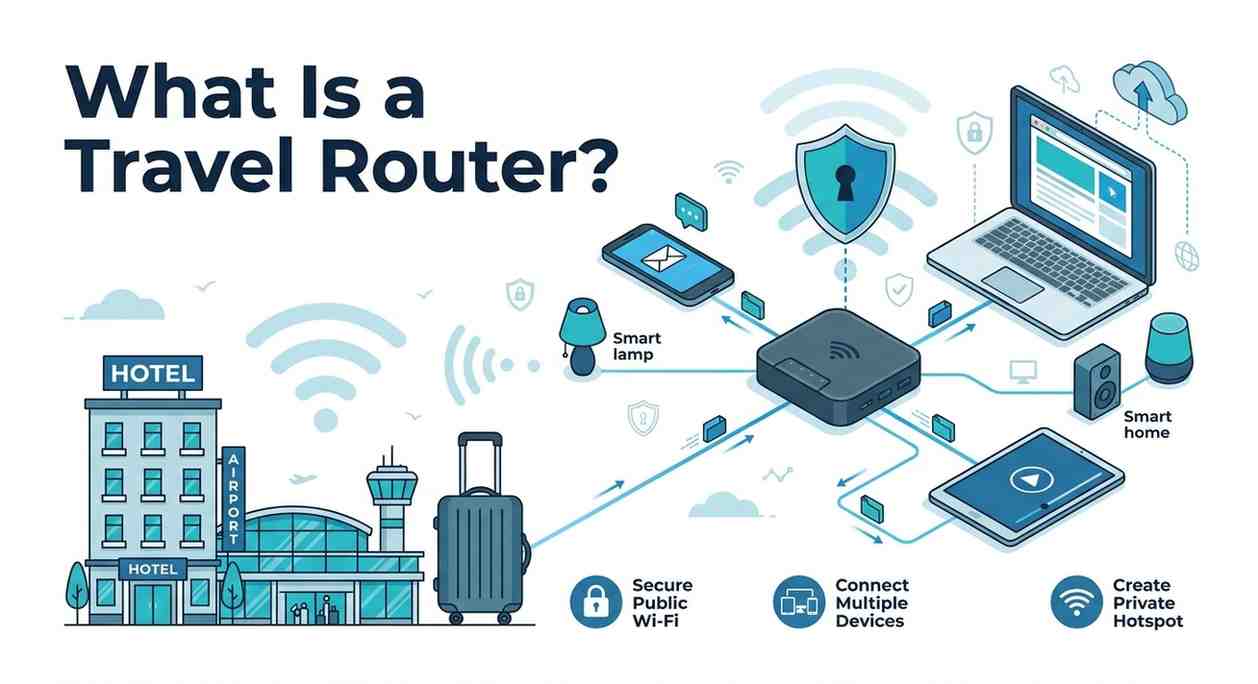
A travel router is a compact, portable device that takes an existing internet connection, like a hotel’s wired Ethernet port or its shared Wi-Fi, and rebroadcasts it as your own private Wi-Fi network. Think of it as a personal hotspot that uses the hotel’s internet instead of your phone’s cellular data.
Unlike the full-sized routers you’d set up at home, a travel router is designed to be small enough to slip into a jacket pocket, lightweight (most weigh under 100g), and quick to configure. Many are barely larger than a deck of cards.
“A travel router doesn’t replace the hotel’s internet; it just gives you a cleaner, private, and often more reliable way to access it.”
Most travel routers work in a few different modes, and this is where they get genuinely useful:
You plug the travel router into a hotel room’s Ethernet port using a cable, and it creates its own Wi-Fi network. Every device you own connects to that one network. This is the most reliable setup because you’re using a wired connection as the base.
If there’s no Ethernet port (common in newer boutique hotels), the router connects to the hotel’s Wi-Fi signal and rebroadcasts it as a stronger, private network. Signal strength isn’t always better, but you get the privacy benefit and single-login convenience.
In some setups, you can use a travel router to extend an existing network, useful in large rental properties or Airbnbs where the signal doesn’t reach your room.
Convenience is one reason, but security is the bigger one. Hotel Wi-Fi networks are public, meaning other guests on the same network could potentially intercept unencrypted traffic. A travel router creates a private network with its own password that only you know.
There’s also the device limit problem. Many hotels still restrict access to one device per room or charge extra for additional connections. A travel router gets you around this by appearing as a single device to the hotel’s network, while distributing that connection to all your gear.
And for remote workers, a stable, reliable connection isn’t optional. Plugging into Ethernet through a travel router almost always beats trying to nurse a weak wireless signal across the room.
If you regularly stay in hotels and travel with more than one device, a travel router will almost certainly pay for itself in convenience within your first few trips.
This is one of the most common points of confusion. Here’s a quick breakdown:
|
Feature |
Travel Router |
Mobile Hotspot |
|
Uses cellular data |
No |
Yes |
|
Works with hotel Ethernet |
Yes |
No |
|
Avoids data overages |
Yes |
No |
|
Built-in VPN support |
Often |
Rarely |
|
Works without a SIM card |
Yes |
No |
|
Ideal for hotel stays |
Yes |
Depends |
In short, a mobile hotspot is great when there’s no Wi-Fi at all. A travel router is better when there’s already a wired or wireless connection you want to share, secure, and improve.
Not all travel routers are created equal, especially when you want to avoid issues like WiFi connected but no internet. Here are the features actually worth paying attention to:
Some travel routers require wall power; others have a built-in battery and can run standalone for hours. If you’re frequently in transit on trains, airports, and conference halls, a battery-powered model is far more flexible.
Look for at least Wi-Fi 5 (802.11ac) for decent speeds. Newer models with Wi-Fi 6 are available, though they’re pricier, and the improvement is usually minimal in hotel scenarios where the bottleneck is the hotel’s internet plan.
If privacy matters to you, and it should on public networks, look for a model that supports OpenVPN or WireGuard at the router level. This means every device connected to your travel router automatically routes through your VPN, without any individual device setup.
Some travel routers require you to log into a captive portal (that pop-up hotel login page) through the router itself, not your device. Look for models with a straightforward app or browser interface. GL.iNet, TP-Link, and ASUS make well-regarded travel routers with simple setup flows.
Remote workers, digital nomads, and frequent business travelers will get the most value. But even occasional travelers, families on holiday, couples sharing a hotel room, benefit from not having to juggle device logins or deal with spotty Wi-Fi on the far side of the room.
If you travel once a year for a week and mostly browse social media, you probably don’t need one. But if internet access is important to your trip for work, streaming, video calls, or just reliable navigation, a travel router removes a surprisingly persistent source of travel friction.
A travel router is a small, affordable device that solves several real problems at once: multiple device connections, weak signals, public network security, and hotel captive portal headaches. It’s not a gadget for gadget’s sake. For anyone who travels with more than one device and relies on internet access, it’s one of the most practical things you can pack.
Not always, but they serve different purposes. A mobile hotspot burns through your cellular data. A travel router uses the hotel’s internet connection, so your data plan is untouched. If you stay in hotels often, a travel router saves money and usually delivers faster, more stable speeds than LTE.
Yes, and in fact, it’s safer than connecting directly to hotel Wi-Fi. Your travel router creates a private, encrypted network that other hotel guests can’t access. For maximum security, pair it with a VPN that encrypts your traffic, even when you’re in the hotel.
Most modern travel routers handle captive portals by letting you log in once through the router’s interface or by cloning your device’s MAC address so the hotel recognizes it. Once that’s done, all your connected devices share the session without needing to log in individually.
GL.iNet models (like the GL-MT3000 “Beryl AX”) consistently top recommended lists for their balance of performance, VPN support, and compact size. TP-Link’s TL-WR902AC is a reliable budget option. For travelers who want built-in cellular backup, some newer models combine a travel router with a SIM slot.
Yes, if the train or plane has Wi-Fi, a travel router can connect to it and redistribute the signal to your devices just like in a hotel. Battery-powered models are ideal here since there may be no power outlet. Keep in mind that using the router still requires the underlying network to have internet access; it doesn’t create a connection from nothing.

© 2025 Crivva - Hosted by Airy Hosting Managed Website Hosting.