

You’re paying for the internet. But are you getting the right kind? Most people choose a plan without knowing what is actually coming to their home. That lack of knowledge can cost you speed, money, and a lot of frustration.
Whether you’re setting up a new home, trying to fix slow speeds, or just curious about what “fiber” means, this guide explains every major type of internet connection in simple terms. No jargon. No sales pitch. Just the facts you need to make a smart choice.
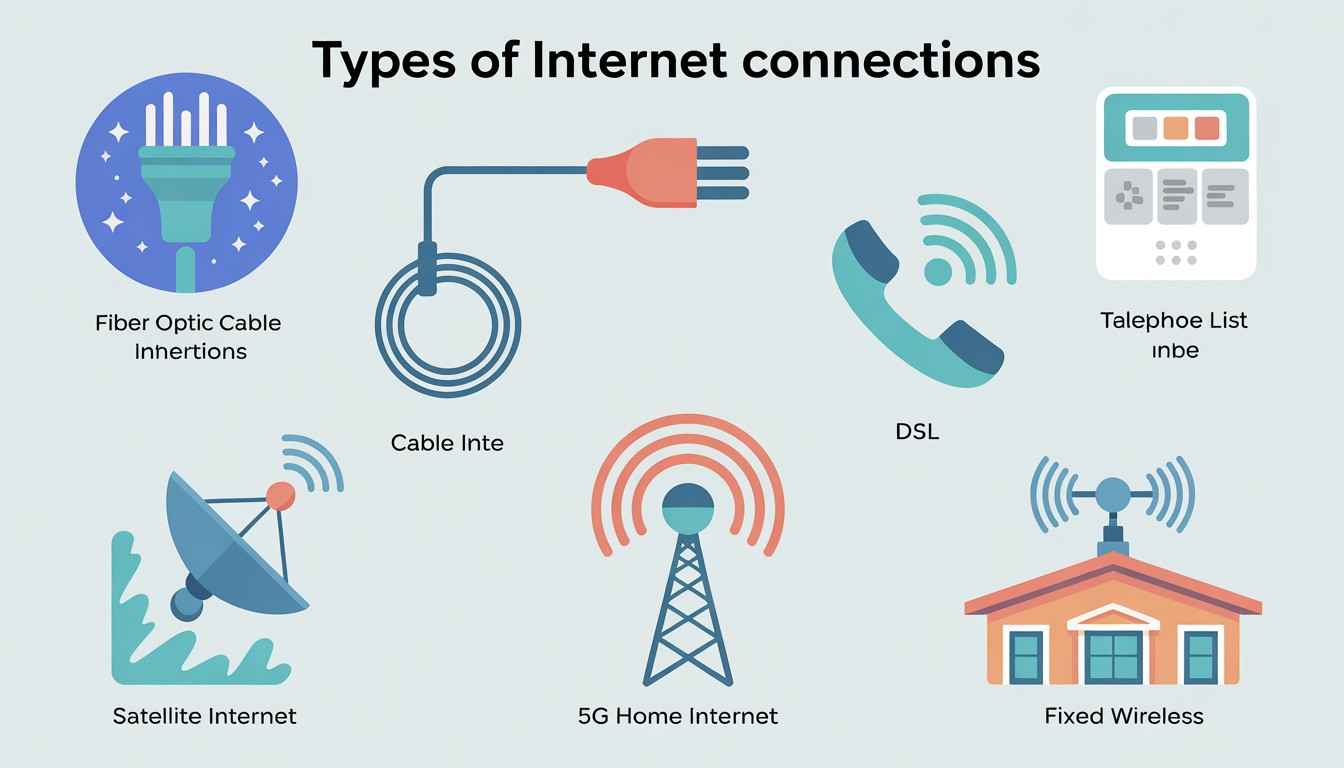
There are more types of internet than most people realize. Each one uses a different infrastructure, which affects your speed, reliability, and monthly costs directly.
Data travels through glass cables as light, making it the fastest and most reliable option in 2026. Symmetrical speeds mean your upload speed is as fast as your download speed. This is important for video calls and working from home.
This type runs on the same coaxial lines as your TV service. Download speeds are fast, but uploads lag. One drawback is that performance can drop during peak hours since you share bandwidth with your neighbors.
This option uses your existing phone lines, so it’s widely available even in older suburbs. The downside is that the farther you are from your provider’s hub, the slower your speeds will be.
Your signal travels to space and back. Traditional satellite services were notoriously slow, but Low Earth Orbit services have changed the game. This option is now a real choice for rural areas without other options.
A router in your home picks up 5G cellular signals and turns them into Wi-Fi. There’s no technician, no digging, and no hassle. Speeds depend on your location and the busyness of nearby towers. This is the fastest-growing connection type in 2026.
A small antenna mounts on your roof to receive a signal from a nearby tower. It’s not the same as 5G home; it’s a different setup designed for areas where fiber isn’t available yet and satellite latency is a concern.
Quick note on latency: This is the time it takes for a signal to travel from your device to a server and back, measured in milliseconds (ms). For video calls and gaming, lower latency is just as important as raw speed. Fiber wins this category every time.
Here’s the honest answer: it depends more on where you live than on what you want. Fiber is clearly the best option in 2026, but it’s still only available to about 50% of U.S. addresses. Start with what’s actually available in your area, then improve from there.
Pro tip: Always test your actual speeds once connected using a tool like Speedtest.net or Fast.com. ISPs advertise “up to” speeds that you may rarely achieve, especially with cable on a congested line.
A few things have changed significantly in the last couple of years. Multi-gig fiber is no longer unusual; several providers now offer symmetrical residential plans of 2 Gbps and even 5 Gbps at reasonable prices.
5G home internet has become a common product, rather than a novelty. Carriers have greatly expanded mid-band 5G coverage, and for many urban and suburban households, it’s now genuinely comparable to cable and sometimes even replaces it.
DOCSIS 3.1 and 4.0 upgrades are allowing cable providers to offer multi-gig speeds without digging up streets. If your cable provider has upgraded to DOCSIS 4.0, you may already have access to speeds that rival fiber. Check with them.
Understanding the different types of internet connections isn’t just technical information; it’s how you avoid paying too much for too little. Fiber is the gold standard. Cable and 5G home internet are strong urban alternatives. Satellite and fixed wireless have genuinely improved for rural users. Whatever you choose, knowing what comes into your home gives you control of the conversation with your ISP. Check availability in your area, compare real-world speed reviews (not just advertised speeds), and don’t hesitate to switch if something better becomes available.
Fiber optic is currently the fastest type of internet connection for home users. It uses light signals through glass cables and can provide symmetrical speeds up to 10 Gbps in 2026. Multi-gig fiber plans are now available from multiple providers in areas with fiber infrastructure.
Fiber uses dedicated glass-fiber lines that carry light, while cable uses shared coaxial infrastructure originally built for TV. Fiber offers symmetrical upload and download speeds and doesn’t slow down during peak hours. Cable can deliver fast downloads but has slower uploads and can be affected by neighborhood congestion.
Modern LEO satellite services are now workable for remote work in 2026. Latency sits around 20-60ms, which is enough for most video calls and cloud-based tools. However, it’s still not as reliable as fiber or cable; if you have any other option, use it. Satellite remains best as a rural last resort rather than a first choice.
A useful guideline is 25 Mbps per person for streaming HD video. For a family of four with 4K streaming, gaming, and remote work happening at the same time, 200-500 Mbps is comfortable. If you have smart home devices, security cameras, or regularly upload large files, go higher. Don’t just think about upload speed; it matters more than people realize.
Fiber is best for gaming because it offers low latency (under 5ms), symmetrical speeds, and stable connections without peak-hour congestion. Cable is a solid second choice. For any type of gaming, latency (ping) is often more important than raw speed. You don’t need 1 Gbps to game well, but you do need consistent, low-lag performance.

© 2025 Crivva - Hosted by Airy Hosting Managed Website Hosting.