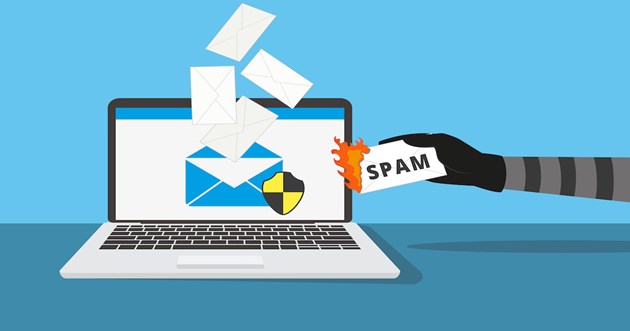
In today’s hyper-connected digital landscape, your email address is more than just a communication tool; it is your digital passport. Every website, application, newsletter, and Wi-Fi network demands access to it. While this connectivity drives the modern web, it has created a significant vulnerability: the erosion of digital privacy and the overwhelming plague of inbox spam.
For professionals and casual users alike, the “primary inbox” has become a chaotic repository of marketing blasts, unsolicited offers, and potential phishing threats. If you are a Microsoft Edge user, however, there is a powerful, integrated solution to reclaim your privacy. By leveraging the power of disposable email addresses directly within your browser, you can erect a firewall between your personal data and the public web.
This comprehensive guide explores why your email privacy matters, the hidden dangers of digital exposure, and how using the Temporary Email by SmailPro extension on Microsoft Edge can revolutionize your online experience.
![Image: A split screen showing a chaotic, overflowing email inbox on the left and a clean, secure shield icon on the right, representing privacy protection.]
Most internet users hand out their email addresses without a second thought. It feels like a small price to pay for a 10% discount coupon or access to a free PDF report. However, the cumulative effect of this behavior is damaging.
When you sign up for a service, your data rarely stays with just that company. In many Terms of Service agreements, there are clauses allowing for the sharing of user data with “third-party partners.” This is the data broker economy. Your email address is aggregated with your browsing habits, location data, and purchase history to create a profile that is sold to advertisers. This results in hyper-targeted ads and an inbox that fills up faster than you can clear it.
The more databases your email resides in, the higher the probability that your information will be part of a data breach. Once your email is leaked in a breach, it becomes a target for credential stuffing attacks (where hackers try your email/password combo on other sites) and sophisticated phishing campaigns. Using your primary business email for trivial sign-ups expands your attack surface unnecessarily.
For business owners and freelancers, time is money. Sifting through hundreds of “unread” emails to find client communications or important invoices is a massive drain on cognitive resources. Spam clutter creates “email anxiety” and reduces overall efficiency.
To combat these issues, the concept of the “Disposable Temporary Email” (or Temp Mail) was born. Unlike a standard email account (like Gmail or Outlook) that you keep for years, a temporary email is ephemeral.
Think of it as a “burner phone” for the internet. It provides you with a functional email address that can receive verification codes and activation links, but it is designed to be discarded. It does not require a password, it does not require you to provide personal details to create it, and it keeps no permanent logs of your activity.
When you visit a website requiring registration, you generate a temp mail address. You paste this address into the registration form. The website sends its confirmation email, which arrives in your temporary inbox. You click the link to verify your account, and then you never have to think about that email address again. If the website sells that address to spammers later, your real inbox remains completely untouched.
![Image: An infographic illustrating the flow of data: A user visits a website -> Uses a SmailPro temp email -> The website sends spam -> The spam hits the temporary inbox -> The user’s real inbox remains clean.]
While there are many web-based temporary email services, switching tabs back and forth between your registration form and a temp mail website is cumbersome. This friction often leads users to simply give up and use their real email.
This is where SmailPro changes the game. SmailPro has developed a dedicated extension for the Microsoft Edge ecosystem, bringing the power of temporary emails directly into your browser’s toolbar.
Microsoft Edge has grown to become one of the most secure and efficient browsers for business users, thanks to its Chromium base and enterprise-level security features. SmailPro enhances this environment by offering a lightweight, non-intrusive add-on that fits perfectly into the Edge workflow.
One-Click Generation: You don’t need to navigate to a website. Simply click the extension icon, and a fresh email address is ready for you.
Instant Reception: The architecture behind SmailPro is optimized for speed. Verification emails appear almost instantly, ensuring your workflow isn’t interrupted.
Privacy First: SmailPro does not track your real identity. The service is designed to be anonymous.
Persistent Availability: While the emails are temporary, the session in your browser allows you to keep track of the inbox as long as you need it for that specific task.
To start protecting your inbox immediately and experience these features firsthand, you can install the tool directly from the official store: Temporary Email by SmailPro.
Setting up your privacy shield is incredibly simple. Microsoft Edge makes managing add-ons secure and easy. Follow this step-by-step guide to get SmailPro running on your browser.
Open Microsoft Edge: Ensure you are using the latest version of the browser for the best security performance.
Visit the Add-ons Store: Navigate to the Microsoft Edge Add-ons marketplace. This is the official repository for verified extensions.
Search or Direct Link: You can search for “SmailPro” or simply use the direct link provided in this article.
Click “Get”: You will see a blue “Get” button on the store page. Click it.
Confirm Installation: Edge will ask for permission to add the extension. Click “Add extension.”
Pin for Easy Access: Once installed, click the “Puzzle Piece” icon in your toolbar, find SmailPro, and click the “Eye” icon (or Pin icon) to make it visible at all times.
It is crucial to download the SmailPro extension from the official Microsoft source to ensure you are getting the verified, secure version of the software.
![Image: A collage of screenshots showing the Microsoft Edge Add-ons store page, the ‘Get’ button, and the SmailPro interface pop-up with a generated email address.]
You might be wondering, “When should I use this versus my real email?” Here are the specific scenarios where SmailPro shines:
Marketers love “Lead Magnets”—whitepapers, ebooks, or case studies that require an email address to download. Often, you only want the PDF, not the weekly newsletter that follows. Use SmailPro to get the download link and avoid the subscription.
Many e-commerce sites offer “10% off your first order” if you sign up for their list. If you are making a one-off purchase from a site you don’t intend to visit frequently, use a temporary email to get the coupon code without clogging your inbox with future sales blasts.
Airports, coffee shops, and hotels often require you to “Log in” with an email address to access their free Wi-Fi. This is purely for data collection. Never give them your real business email; use a temporary one to get connected safely.
For web developers and QA testers, SmailPro is an invaluable tool. When you need to test the “Sign Up” flow of your own application multiple times, creating 50 distinct Gmail accounts is impossible. With SmailPro, you can generate fresh emails instantly to test registration logic, password resets, and welcome emails.
Sometimes you want to leave a comment or view a thread on a forum that requires registration, but you don’t want to be associated with that site long-term. A disposable email provides the anonymity you need to participate without commitment.
Using SmailPro is just one part of a robust “Email Hygiene” strategy. To fully protect your digital identity, consider adopting a tiered approach to your email usage:
Tier 1 (The Vault): Your private, encrypted email (e.g., ProtonMail) for banking, government, and family. Never share this publicly.
Tier 2 (The Business): Your work email for clients and colleagues.
Tier 3 (The Shield): SmailPro on Microsoft Edge. This is for everything else—newsletters, free trials, unknown websites, and generic sign-ups.
By filtering the “noise” of the internet through Tier 3, you protect the sanctity and security of Tiers 1 and 2.
In the digital age, attention is your most valuable currency. Every spam email you delete is a micro-transaction of your time and energy that you can never get back. Furthermore, every database your email sits in is a ticking time bomb for your privacy.
You do not have to accept spam as the “cost of doing business” on the internet. With tools like Microsoft Edge and the SmailPro extension, you have the power to say “No” to data harvesting. You can enjoy the benefits of the web—the free downloads, the discounts, the access—without the hangover of a cluttered inbox.
Stop letting spammers dictate your digital life. Equip your browser with the right tools and keep your identity secure.
Get SmailPro for Microsoft Edge now and experience the freedom of a truly private, spam-free browsing experience.

© 2025 Crivva - Hosted by Airy Hosting Managed Website Hosting.