

You’ve built something great. Your SaaS is live, users are signing up, and then someone asks, “How do I pay you?” That moment marks when payment infrastructure becomes a crucial decision. Get it wrong, and you risk losing money due to failed charges, frustrated customers, and compliance issues you didn’t anticipate.
So what is a SaaS payment gateway? How is it different from what a typical e-commerce store uses, and which setup suits your business? Let’s explain it clearly, without any jargon or sales talk.
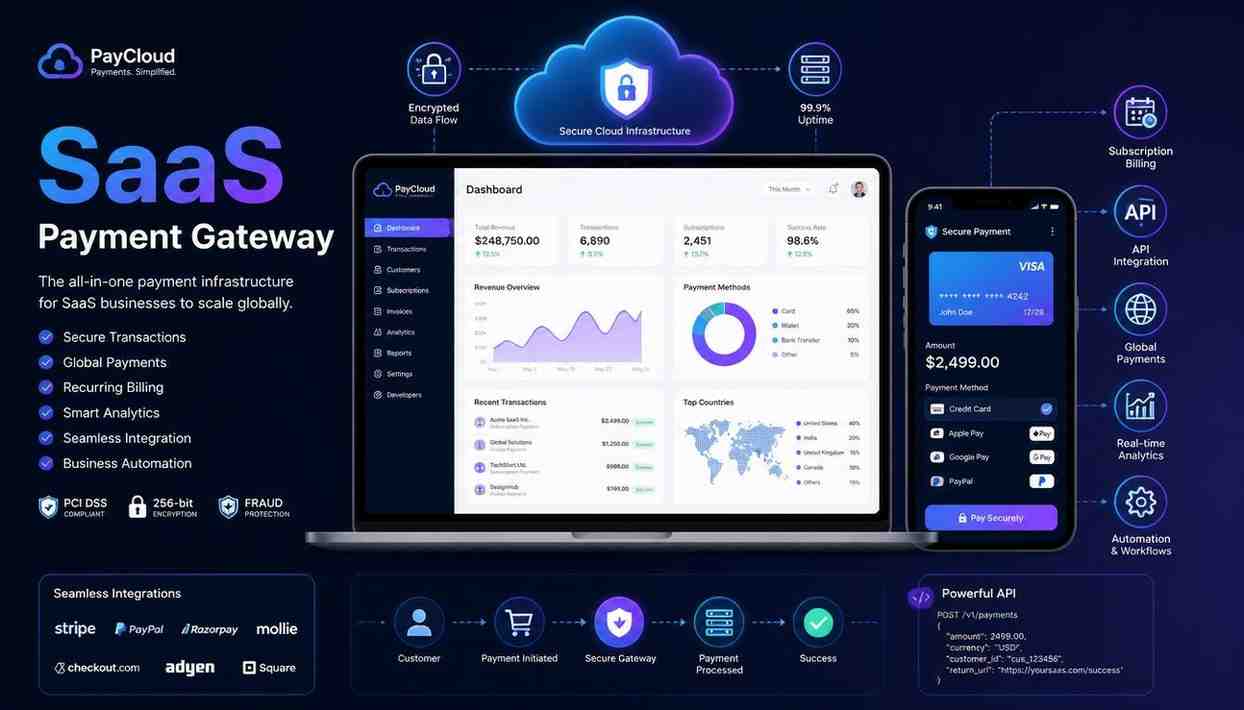
A SaaS payment gateway is the technology that authorizes, processes, and settles payments between your customers and your business. It is specifically designed to manage the recurring, subscription-based billing that SaaS companies rely on.
Think of it this way: a typical payment gateway is like a cash register. A SaaS payment gateway acts more like a subscription billing engine with a built-in cash register. It doesn’t just handle one payment; it manages the entire billing lifecycle for that customer. This includes monthly renewals, plan upgrades, retries for failed payments, proration when someone changes tiers mid-cycle, and refunds.
The key difference is that traditional gateways process one-time transactions. SaaS payment processing focuses on time-based, recurring relationships, which changes nearly everything about how payments are structured.
When a customer enters their card details on your checkout page, a series of events occurs in milliseconds. Here’s what happens behind the scenes:
For SaaS payment processing, this process automatically repeats with each billing cycle. The gateway stores the payment method (in token form, not the actual card number), schedules upcoming charges, and manages issues like expired cards, bank declines, and disputes, without you needing to intervene each time.
|
Feature |
Standard Gateway |
SaaS Gateway |
|
Billing model |
One-time transactions |
Recurring / subscription |
|
Revenue recognition |
Immediate |
Deferred, spread over periods |
|
Failed payment handling |
Manual |
Automated retry logic (dunning) |
|
Plan management |
Not applicable |
Upgrades, downgrades, trials |
|
Invoicing |
Basic / manual |
Automated, tax-compliant |
|
Global payments |
Limited |
Multi-currency, local methods |
Not every gateway sold to SaaS businesses meets your needs. Here’s what’s important:
Keep in mind: The difference between a 0.1% and a 0.5% payment processing fee may seem minor. At $100K MRR, that amounts to $4,800 per year. At $1M MRR, it’s $48,000. Gateway fees add up, so calculate them before making a decision.
There isn’t a single “best” option; the right choice depends on your stage, team, and location. Here’s a practical overview of common options:
Having seen what goes wrong, here are the pitfalls worth avoiding early:
A SaaS payment gateway is not just a way to accept payments; it is essential for your revenue operations. The right setup automates the difficult parts, such as failed payments, taxes, and prorations. It provides you with clean data for decision-making and scales easily, so you don’t have to rebuild it every time you change your pricing or enter a new market.
The best time to get this right is before you have 500 paying customers. The next best time is now, because updating your billing system later can be costly, disruptive, and can slow your growth at the worst time.
A payment gateway is the technology that securely transmits payment data between your customer, your platform, and the banking network. A payment processor is the entity that actually handles the payments. In SaaS payment processing, many providers like Stripe combine both into one product, but they serve different roles in the payment process.
You can use a standard gateway, but you will likely need to build or purchase subscription billing logic to go with it. For most SaaS businesses, using a gateway that supports subscriptions natively, like Stripe Billing, Chargebee, or Recurly, requires much less engineering work and results in fewer billing errors over time.
Most providers charge a percentage of transaction volume, usually between 1.5 and 2.9 percent, plus a small flat fee for each transaction, often $0.20 to $0.30. Some also charge platform fees or monthly minimums. Merchant of Record providers like Paddle usually take a larger cut of over 5 percent but include tax handling, which can save a lot of money for global SaaS.
Most gateways focused on SaaS provide dunning management, automated retry schedules, and email sequences triggered when a payment fails. Smart retry logic, which retries payments at the best times based on bank behavior, can recover a significant percentage of involuntary churn. This benefit often justifies using a dedicated SaaS payment solution instead of a generic one.
Stripe is a payment platform that offers SaaS payment gateway features through its Stripe Billing and Stripe Payments products. It supports recurring subscriptions, usage-based billing, invoicing, and multi-currency payments, making it one of the most popular choices for SaaS businesses. However, it is a general-purpose platform that works well for SaaS but is not exclusively designed for that purpose.

© 2025 Crivva - Hosted by Airy Hosting Managed Website Hosting.