When working on digital designs, images, or screen-based layouts, accurate measurements matter more than most people realize. A small sizing mistake can affect image clarity, layout balance, or print quality. This is why understanding how physical units translate into digital units is essential for designers, developers, and content creators alike. Converting inches into pixel values allows you to maintain precision across different devices, resolutions, and formats.
Without proper conversion, visuals may appear stretched, cropped, or blurry when displayed on various screens or printed on physical materials. Different devices interpret measurements differently, which makes consistency a challenge when sizes are not calculated correctly. By using precise measurement conversions, professionals can ensure that their designs look exactly as intended, whether viewed on a high-resolution monitor, a mobile screen, or a printed brochure. This accuracy ultimately improves visual appeal, usability, and overall design quality.
Understanding the Relationship Between Inches and Pixels
Inches are a physical unit of measurement, commonly used in printing and real-world dimensions. Pixels, on the other hand, are the smallest addressable elements on a digital screen. The connection between these two units depends on DPI (Dots Per Inch) or PPI (Pixels Per Inch). DPI defines how many pixels fit within one inch, meaning the same inch value can result in different pixel outputs depending on resolution settings.
For example, one inch equals 72 pixels at 72 DPI, 96 pixels at 96 DPI, and 300 pixels at 300 DPI. This flexibility is why conversions must always consider resolution rather than relying on a fixed formula.
Why Accurate Conversion Is Important
Precision plays a critical role in digital workflows. Whether you are preparing graphics for a website, creating print-ready artwork, or designing mobile interfaces, incorrect pixel values can lead to distorted visuals or scaling issues. Using an inch to pixel converter ensures that measurements remain consistent regardless of platform or output medium.
Designers working with banners, thumbnails, and responsive layouts rely on correct pixel dimensions to maintain clarity across devices. Similarly, print professionals must convert inches into exact pixel values to avoid blurry or stretched images during printing, ensuring consistent quality, sharp details, and accurate color reproduction in final outputs.
How DPI Affects Pixel Output
DPI is the most important factor in converting inches to pixels. A higher DPI means more pixels are packed into one inch, resulting in sharper and more detailed images. Lower DPI values are typically used for screens, while higher values are preferred for print materials.
Common DPI standards include:
-
72 DPI – Traditionally used for older screens
-
96 DPI – Standard for most modern displays
-
300 DPI – Ideal for high-quality printing
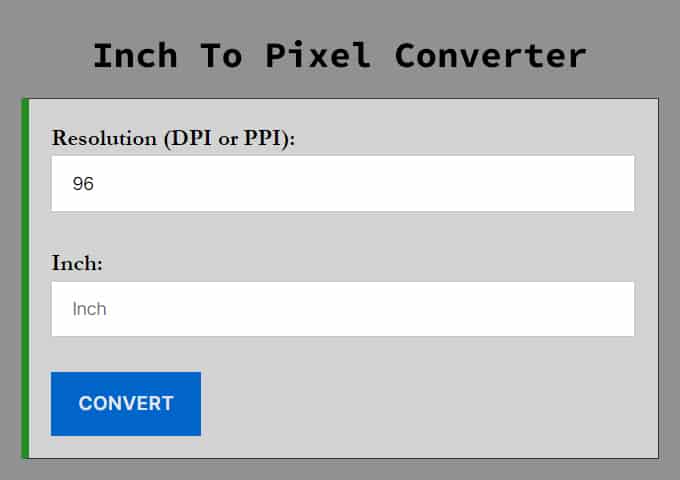
An inches to px converter allows users to select the desired DPI, making the calculation flexible and accurate for any project requirement.
Practical Use Cases for Conversion
There are many real-world scenarios where converting inches into pixels becomes essential. Web designers often need to translate physical mockups into digital layouts. Photographers may need exact pixel dimensions when resizing images for online platforms or printing. UI/UX designers also rely on pixel accuracy to maintain visual consistency across screen sizes.
Even content creators and marketers benefit from correct conversions when creating social media graphics, ads, or promotional banners. With an inches to pixels calculator, these tasks become faster and error-free.
Manual Conversion vs Online Tools
While it is possible to calculate pixel values manually using a formula, it can be time-consuming and prone to mistakes. The basic formula is:
Pixels = Inches × DPI
However, this approach requires knowing the correct DPI and performing calculations for each measurement. Online tools simplify this process by providing instant results with adjustable DPI options. An inches to pixels converter eliminates guesswork and ensures consistent outputs every time.
Benefits of Using an Online Converter
Using a dedicated online tool offers several advantages. It saves time, reduces human error, and allows for quick adjustments. Most converters support multiple DPI values and provide immediate results, making them ideal for professionals working on tight deadlines.
Another benefit is accessibility. You can use these tools on any device without installing additional software. Whether you are working on a desktop, tablet, or mobile phone, an inches to pixels converter keeps your workflow efficient and accurate.
Common Mistakes to Avoid
One common mistake is assuming that inches always convert to a fixed number of pixels. This misconception often leads to design inconsistencies. Another issue is ignoring DPI settings altogether, which can cause images to appear blurry or oversized when displayed or printed.
Using a reliable converter helps avoid these problems by clearly factoring in resolution and providing precise results tailored to your needs.
Choosing the Right Conversion Settings
Selecting the correct DPI depends on your project. For digital screens, 96 DPI is usually sufficient. For high-quality print materials, 300 DPI is recommended. Understanding your output medium before converting ensures that your visuals look professional and sharp.
By using an inches to pixels converter, you can experiment with different DPI values and instantly see how they affect pixel dimensions, helping you make informed decisions.
Final Thoughts
Accurate measurement conversion is a small detail that makes a big difference in digital and print projects. Understanding how inches translate into pixels allows you to create visuals that look sharp, professional, and consistent across platforms. With the right approach and tools, converting measurements becomes a simple and reliable part of your workflow, helping you focus more on creativity and less on calculations.
When dimensions are properly converted, designs maintain their intended proportions and visual balance, regardless of where they are displayed. This is especially important when working across multiple mediums, such as websites, mobile applications, social media graphics, and printed materials. A correct conversion ensures that text remains readable, images stay crisp, and layouts appear polished rather than distorted. It also reduces the need for repeated revisions, saving valuable time and effort during the design process. By making accurate conversions a standard practice, designers and creators can work more confidently, deliver higher-quality results, and ensure their visuals meet both technical requirements and aesthetic expectations.