

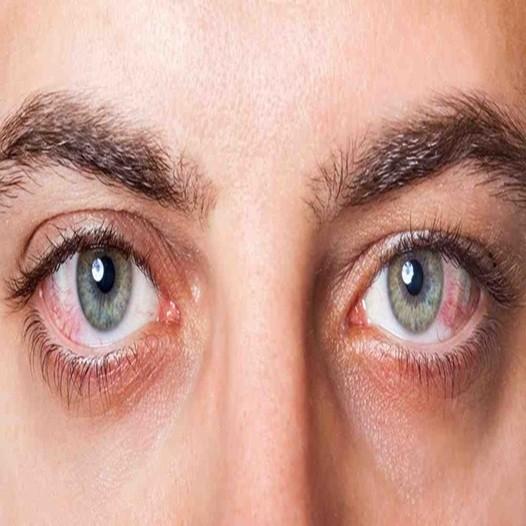
Ever found yourself rubbing your eyes after a long day at the computer, wondering why they feel like sandpaper? Or perhaps you’ve noticed that gritty, irritated sensation creeping in halfway through a Netflix binge? You’re not alone. In our increasingly digital world, dry eyes have become something of an epidemic, affecting millions of Australians who spend their days glued to screens.
The truth is that our eyes simply weren’t designed for screen time we throw at them. Between work on computers, smartphones, tablets, and televisions, the average Australian spends over six hours daily staring at digital displays. That’s a lot of strain on organs that evolved for scanning savannahs, not spreadsheets.
In this post, we’ll explore exactly why screens cause such havoc with your eye moisture, how to spot the warning signs early, and most importantly, what you can do about it. From simple daily habits to workspace tweaks and treatment options available in Australia, you’ll walk away with practical strategies to keep your eyes comfortable and healthy. Let’s get stuck into it.
When you stare at a screen, something fascinating and problematic happens. Your blink rate drops dramatically. Normally, you blink about 15-20 times per minute, spreading a protective tear film across your cornea. But during focused screen work, that rate can plummet to just 3-4 blinks per minute.
This reduced blinking means your tear film evaporates faster than it’s being replenished. Your eyes essentially become exposed, like leaving a contact lens out on the bench. The result? That uncomfortable dryness, burning, and irritation we’ve all experienced.
Blue light from screens has become quite the hot topic lately. While research is still evolving, we know that high-energy blue light penetrates deep into the eye. Some studies suggest it may contribute to eye fatigue and disrupt your sleep patterns, which indirectly affects eye moisture.
However, it’s worth noting that the sun emits far more blue light than any screen. The real issue seems to be the prolonged, close-range exposure combined with reduced blinking, rather than blue light alone.
Simply put, your eyes are working overtime without adequate lubrication. Think of it like running a car engine without enough oil things start to grind and wear. The combination of reduced blinking, air conditioning in offices, and the intense focus required for screen work creates a perfect storm for dry eyes symptoms.
Digital eye strain manifests in various ways, and it’s important to recognise the warning signs early. Common symptoms include:
Difficulty focusing on distant objects after screen work
These symptoms might seem minor initially, but they can significantly impact your quality of life and productivity over time.
Occasional dry eyes after a long day aren’t typically cause for alarm. However, if symptoms persist daily, interfere with your work, or don’t improve with basic interventions, it’s time to act. Chronic dry eyes can lead to corneal damage, increased infection risk, and permanent vision changes if left untreated.

You’ve probably heard of the 20-20-20 rule: every 20 minutes, look at something 20 feet (about 6 metres) away for 20 seconds. But does it make a difference? Research suggests yes, it genuinely helps.
This simple practice gives your focusing muscles a break and encourages natural blinking. The key is consistency setting a timer can help you remember until it becomes second nature.
Beyond the 20-20-20 rule, aim for a proper break every hour. Stand up, walk around, grab a cuppa. Your eyes and your back will thank you. These longer breaks allow your tear film to fully recover and reduce overall eye strain.
Conscious blinking exercises might sound silly, but they’re surprisingly effective. Try this: close your eyes gently, pause for two seconds, then squeeze them shut for another two seconds before opening. Repeat ten times. This helps express oils from your meibomian glands, improving tear quality.
Your screen should sit about an arm’s length away, with the top of the monitor at or slightly below eye level. This positioning reduces the exposed surface area of your eyes and minimises strain on your neck and shoulders.
If you use multiple monitors, position your primary screen directly in front of you. Constantly looking sideways increases fatigue and uneven tear distribution.
Harsh overhead lighting and glare are major culprits in eye strain. Position your screen perpendicular to windows rather than facing them directly. Consider using blinds or curtains to control natural light and adjust your screen brightness to match your surroundings.
Anti-glare screen protectors can also make a noticeable difference, particularly in bright office environments.
Air conditioning and heating systems are notorious for drying out indoor air. If possible, use a humidifier at your desk, especially during winter months. Aim for humidity levels between 40-60% for optimal eye comfort.
Also, try to position yourself away from direct airflow from vents or fans, as moving air accelerates tear evaporation.
Australian pharmacies stock numerous dry eye drop options for dry eyes relief. Preservative-free artificial tears are generally the gold standard, as they’re gentler on sensitive eyes and suitable for frequent use. Popular brands include Systane, Refresh, and Hylo-Fresh.
For more persistent dryness, gel drops or ointments provide longer-lasting relief, though they can temporarily blur vision.
Beyond eye drops, consider these strategies:
Warm compresses applied to closed eyes for 10 minutes can help unblock oil glands and improve tear quality. Some people find relief with omega-3 supplements, though results vary. Staying well-hydrated by drinking plenty of water throughout the day supports overall tear production.

Your diet plays a bigger role in eye health than you might think. Foods rich in omega-3 fatty acids like salmon, sardines, and walnuts support healthy tear production. Leafy greens, carrots, and eggs provide essential vitamins and antioxidants that protect eye tissues.
Aim for at least eight glasses of water daily. Dehydration directly impacts tear production, so keeping a water bottle handy is a simple but effective strategy.
Quality sleep allows your eyes to rest and regenerate. During sleep, your eyes receive continuous lubrication, helping repair any damage from the day. Adults should aim for 7-9 hours nightly. Plus, avoiding screens for an hour before bed improves both sleep quality and gives your eyes a much-needed break.
This one’s obvious but worth mentioning: less screen time means less strain. Consider audiobooks instead of reading on tablets, phone calls instead of endless texting, or outdoor activities on weekends. Your eyes will appreciate any reduction you can manage.
Book an appointment if you experience persistent symptoms despite home remedies, severe pain, vision changes, or discharge from your eyes. Chronic dry eyes can sometimes indicate underlying conditions that require professional treatment.
Your optometrist will assess tear production, examine your eye surface, and check for any damage or underlying conditions. They may recommend prescription treatments, punctal plugs, or other interventions depending on severity.
Living in a screen-focused world doesn’t mean accepting dry eyes, uncomfortable eyes as inevitable. With the right habits, workspace setup, and treatments, you can significantly reduce symptoms and protect your long-term vision. The key is being proactive rather than waiting until problems become severe.
Start small perhaps with the 20-20-20 rule and a bottle of preservative-free dry eyes drops. Build from there, adjusting your workspace and lifestyle as needed. Your eyes work incredibly hard for you every single day; they deserve a bit of care in return.
Remember, if symptoms persist or worsen despite your best efforts, don’t hesitate to see an optometrist. Your vision is precious, and professional help is always available when you need it. Here’s to happy, healthy eyes in our digital age!

© 2025 Crivva - Hosted by Airy Hosting Managed Website Hosting.