


In today’s fast-paced digital economy, businesses can no longer rely on static reports or delayed analytics. Decisions need to be made in real time, based on accurate, constantly updated data. This is where CRM dashboards play a crucial role.
A well-designed CRM dashboard is more than just a visual reporting tool—it is a real-time decision-making engine. It helps sales teams track leads, marketing teams monitor campaigns, and leadership understand revenue trends instantly.
However, many CRM dashboards fail to deliver real business value because they are overloaded, poorly structured, or disconnected from actual business goals. Designing an effective dashboard requires a combination of user-centric design, data engineering, and strategic thinking.
In this guide, we will explore how to design CRM dashboards that deliver real-time business insights, improve decision-making, and enhance organizational efficiency.
Modern businesses operate in environments where customer behavior changes rapidly. A delay of even a few hours in data reporting can lead to missed opportunities or poor decisions.
Real-time CRM dashboards help organizations:
Instead of relying on outdated reports, teams can make informed decisions based on live data. This shift from reactive to proactive decision-making is a game changer for businesses of all sizes.
To achieve this level of efficiency, many organizations partner with a custom crm software development company that specializes in building tailored CRM systems aligned with their specific workflows and data needs.
Before designing a dashboard, it is important to define its purpose. A CRM dashboard is not just a collection of charts—it is a tool designed to answer specific business questions.
Common objectives include:
A well-designed dashboard should provide answers to these questions within seconds.
If the dashboard does not directly support decision-making, it becomes noise rather than value.
Designing a high-performance CRM dashboard requires following certain core principles.
One of the most common mistakes is overloading dashboards with too much data. While it may seem useful to show everything, it often leads to confusion.
Instead, focus on:
Clarity ensures that users can quickly understand what is happening without digging through multiple screens.
A CRM dashboard is only as good as its data freshness. Real-time synchronization ensures that users always see the most accurate information.
This involves:
Without real-time updates, even the most beautiful dashboard becomes ineffective.
Not every user needs the same data. Sales managers, executives, and support teams all have different priorities.
A well-designed dashboard should include:
For example, executives may want revenue trends, while sales reps may focus on individual pipeline status.
Good dashboard design is heavily dependent on user experience principles.
Key UX elements include:
A strong visual hierarchy ensures users instinctively know where to look first.
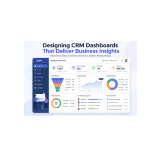
A well-structured CRM dashboard typically includes several key components.
This section shows the entire sales funnel—from lead generation to conversion. It helps teams understand where prospects are in the journey and where drop-offs occur.
These include KPIs such as:
These metrics provide a high-level view of business health.
This area helps teams monitor incoming leads, their sources, and their quality. It allows marketing and sales teams to evaluate campaign effectiveness.
A real-time activity feed shows updates such as:
This keeps teams aligned and informed.
Forecasting tools help predict future revenue based on current pipeline data. This is essential for planning and decision-making.
A CRM dashboard is only as powerful as the data it connects to. Modern businesses use multiple tools, including marketing platforms, payment gateways, and customer support systems.
To create a unified dashboard experience, data must be integrated from:
Without proper integration, data silos can lead to inaccurate insights.
This is why many companies choose to hire a hire custom software development company to build integrated CRM ecosystems that unify all business data in one place.
To achieve true real-time insights, dashboards must be built on event-driven architectures.
This means:
Technologies commonly used include:
This architecture ensures that decision-makers always have the latest information at their fingertips.
Even well-funded startups and enterprises make mistakes when designing dashboards.
Too many metrics dilute focus. Users should only see what matters most.
Dashboards should be designed based on how users actually interact with data, not assumptions.
Sales teams often access dashboards on mobile devices. A non-responsive design reduces usability.
Rigid dashboards fail to serve different departments effectively.
Even a well-designed dashboard becomes useless if it takes too long to load or update.
As businesses grow, so does their data. A CRM dashboard must be designed to handle increasing data volumes without performance degradation.
Scalability considerations include:
A scalable design ensures long-term usability without expensive rebuilds.
Artificial intelligence is transforming CRM dashboards from static reporting tools into predictive systems.
AI can help:
These capabilities significantly enhance decision-making speed and accuracy.
Since CRM dashboards handle sensitive customer data, security is critical.
Key security practices include:
A secure dashboard builds trust across teams and customers.
CRM dashboards are evolving rapidly. Future trends include:
These innovations will further reduce the gap between data and decision-making.
Designing CRM dashboards that deliver real-time business insights requires more than just technical skills. It demands a deep understanding of user behavior, business goals, data architecture, and UX design principles.
A successful dashboard is simple, fast, personalized, and always up to date. It empowers teams to make better decisions, faster.
Whether you’re building a new CRM system or improving an existing one, working with the right technology partner can make a significant difference. Many businesses choose to collaborate with a hired custom software development company to ensure their CRM infrastructure is scalable, efficient, and future-ready.
Ultimately, the goal of any CRM dashboard is not just to display data—but to turn data into actionable intelligence that drives business growth.

© 2025 Crivva - Hosted by Airy Hosting Managed Website Hosting.








