


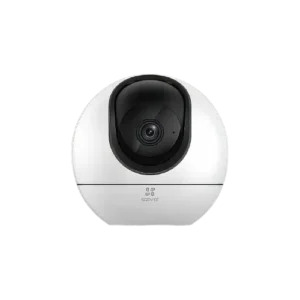
Modern surveillance systems are no longer limited to traditional monitors and control rooms. With the rise of smart technology, integrating CCTV cameras with smart displays has become a practical and efficient way to enhance security monitoring. Whether for homes, offices, or commercial spaces, smart displays provide real-time access, improved convenience, and a more interactive surveillance experience.
This blog explores how to connect CCTV cameras with smart displays, the benefits of doing so, and the best practices for achieving a seamless setup.
Smart displays are advanced screens that combine the functionality of traditional monitors with internet connectivity and smart features. These displays can connect to surveillance systems, allowing users to view live footage, playback recordings, and manage camera settings from a single interface.
Unlike standard monitors, smart displays often support apps, voice commands, and wireless connectivity, making them an ideal addition to modern CCTV setups.
Integrating CCTV cameras with smart displays offers several advantages:
You can view camera feeds instantly without needing a dedicated computer or control room. This is especially useful for homeowners and small businesses.
Smart displays allow you to monitor live footage continuously, helping you respond quickly to any unusual activity.
Instead of switching between multiple devices, you can manage your entire surveillance system from one screen.
With intuitive interfaces and touch controls, smart displays make surveillance easier and more user-friendly.
Before connecting your cameras, it’s important to understand which systems work best with smart displays.
Traditional systems using an analog camera can still be connected to smart displays through compatible recording devices. These setups rely on coaxial cables and require conversion through a recorder.
IP cameras are more advanced and often easier to integrate with smart displays due to their network-based functionality.
These systems combine analog and IP cameras, offering flexibility for users who want to upgrade gradually.
A recording device acts as the bridge between your CCTV cameras and the smart display.
A Digital Video Recorder is commonly used with analog systems. It converts analog signals into digital format, making it possible to display footage on modern screens.
Used for IP cameras, NVRs handle video data over a network and often provide better resolution and advanced features.
Choosing the right recorder is essential for smooth integration with smart displays.
Setting up your system may seem complex, but following a structured approach makes it manageable.
Ensure your cameras, recorder, and smart display support the same connection standards. HDMI is the most common interface for direct connections.
Use an HDMI or VGA cable to connect your recorder to the smart display. Most modern displays support HDMI for high-quality video output.
If your system uses IP cameras or smart features, connect the recorder and display to the same network. This enables remote access and app integration.
Some smart displays allow you to install surveillance apps. This can eliminate the need for direct cable connections in certain setups.
Once everything is connected, test live viewing, playback, and control features to ensure everything works correctly.
Power over Ethernet (PoE) switches are a valuable addition to modern CCTV systems. Devices like DS-3E0310P-E/M simplify installation by providing both power and data through a single cable.
This reduces wiring complexity and improves system reliability, especially when connecting multiple cameras to a central recorder.
Large smart screens provide clearer and more detailed video feeds compared to small mobile devices.
You can view multiple camera feeds simultaneously, making it easier to monitor different areas.
Many smart displays support cloud connectivity, allowing you to access your system from anywhere.
CCTV systems can be integrated with other smart devices, such as alarms and lighting, for enhanced security automation.
Not all devices work seamlessly together.
Solution: Use standard protocols and check compatibility before purchasing.
High-resolution video can cause delays.
Solution: Optimize your network and use high-speed internet connections.
Initial setup can be technical.
Solution: Follow user manuals carefully or seek professional assistance.
Some smart displays may not support all CCTV apps.
Solution: Use a recorder-based connection for universal compatibility.
To get the most out of your setup, consider these tips:
The integration of CCTV systems with smart displays is expected to grow as technology advances. Features like AI-based analytics, voice control, and cloud storage are becoming standard in modern systems.
Smart displays will continue to evolve, offering better resolution, faster processing, and deeper integration with security ecosystems.
Learn how to connect CCTV cameras to smart displays for real-time monitoring, improved security, and seamless control in homes and businesses. CCTV smart display integration, connect CCTV to screen, surveillance monitoring guide, smart home security, CCTV setup tips, video surveillance system
To ensure your system runs smoothly, follow these best practices:
While multi-brand setups offer flexibility, they’re not always ideal.
Avoid mixing brands if:
In such cases, a single-brand ecosystem may be more suitable.
As technology advances, integration between different brands is becoming easier. More manufacturers are adopting open standards, improving compatibility and user experience.
Smart home ecosystems are also evolving, allowing CCTV systems to integrate with other devices like alarms, smart locks, and lighting systems.
This means multi-brand setups will likely become the norm rather than the exception.

© 2025 Crivva - Hosted by Airy Hosting Managed Website Hosting.








