


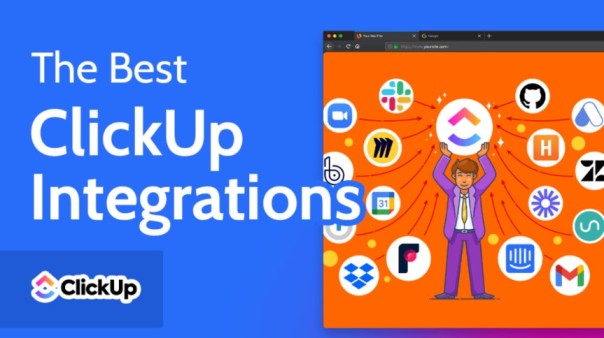
However, switching between apps often leads to confusion, delays, and lost productivity. This is where ClickUp integrations come in.
ClickUp is not just a project management tool—it is a powerful productivity hub that connects with 1,000+ apps to streamline your entire workflow in one place. From communication tools like Slack to automation platforms like Zapier, ClickUp helps teams bring everything together under a single system.
In this guide, we will explore how ClickUp integrations work, the most popular integration options, benefits for businesses, and how ClickUp consultants help organizations maximize their ClickUp setup.
ClickUp integrations are connections between ClickUp and third-party applications that allow data to flow seamlessly between tools.
Instead of manually updating tasks across different platforms, integrations automate the process and ensure real-time synchronization.
ClickUp supports native integrations, third-party tools, automation platforms, and custom API-based solutions. According to ClickUp’s integration ecosystem, it connects with tools like Slack, Google Drive, GitHub, Zoom, HubSpot, and many more.
These integrations help businesses eliminate repetitive tasks and create a centralized workspace for all operations.
Modern teams use dozens of tools daily—email, chat apps, file storage, CRMs, and time tracking software. Without integration, these systems operate in silos.
ClickUp integrations solve this problem by:
This leads to better efficiency and fewer operational errors.
ClickUp supports a wide range of integrations designed for different business needs. Below are some of the most commonly used ones.
Integration with communication tools allows teams to:
This ensures faster decision-making and smoother team coordination.
File management becomes easier when ClickUp connects with cloud storage tools.
Benefits include:
For software teams, integrations with development platforms are essential.
They allow:
Automation tools connect ClickUp with thousands of other apps.
With these integrations, you can:
This is especially useful for scaling businesses.
ClickUp integrates with CRM systems to align sales and project management.
You can:
Calendar integrations help teams:
Using ClickUp integrations provides multiple advantages for businesses of all sizes.
Instead of juggling multiple apps, everything is managed inside ClickUp. This improves clarity and reduces confusion.
Automation eliminates repetitive tasks like manual updates, status changes, and notifications.
Teams stay aligned with real-time updates across all tools.
With fewer distractions and smoother workflows, teams can focus on actual work instead of tool management.
As businesses grow, integrations help systems scale without increasing manual workload.
While ClickUp is powerful, setting it up correctly can be complex. This is where ClickUp consultants play a major role.
A ClickUp consultant helps businesses design, optimize, and automate their ClickUp workspace based on their specific needs.
Many companies struggle with ClickUp because of its flexibility and large number of features. Without proper setup, it can become overwhelming.
ClickUp consultants help solve this by:
For agencies, startups, and enterprises, consultants help turn ClickUp into a fully optimized productivity engine instead of just a task manager.
For businesses with technical teams, ClickUp offers a powerful API.
With the ClickUp API, companies can:
This is ideal for organizations with unique operational needs.
Here are some real-world examples of how teams use ClickUp integrations:
These use cases show how flexible ClickUp can be when fully integrated.
While powerful, integrations may come with challenges:
This is another reason why many companies rely on ClickUp consultants for proper setup and maintenance.
To get the most out of ClickUp integrations, follow these tips:
These practices help maintain a clean and efficient workspace.
ClickUp integrations are one of the most powerful features of the platform. They transform ClickUp from a simple task manager into a complete business operating system.
Whether you are a startup, agency, or enterprise, integrations help streamline operations, improve communication, and save valuable time.
However, to unlock the full potential of ClickUp, many organizations work with ClickUp consultants who specialize in building optimized, scalable, and automated workflows.
If used correctly, ClickUp integrations can completely transform how your team works—making productivity smoother, faster, and more efficient than ever before.
ClickUp integrations connect ClickUp with other tools like Slack, Google Drive, and HubSpot to streamline workflows and automate tasks.
ClickUp supports 1,000+ integrations, including native, third-party, and API-based connections.
Most integrations are included in ClickUp plans, but some third-party tools may require separate subscriptions.
ClickUp consultants help businesses set up, optimize, and automate their ClickUp workspace for better productivity and scalability.
Basic integrations are easy to set up, but advanced workflows and API integrations may require technical expertise or a consultant.

© 2025 Crivva - Hosted by Airy Hosting Managed Website Hosting.








