


Ever wondered why your WiFi feels fast in one room but painfully slow in another? You’re not alone. One minute you’re streaming smoothly, and the next you’re staring at a buffering wheel. The problem often isn’t your internet plan; it’s the WiFi band your device is connected to.
When it comes to 2.4 and 5 GHz, understanding the difference can completely change how you experience the internet at home, in the office, or even on the go.
Let’s break it down simply so you can finally get the best performance from your WiFi.
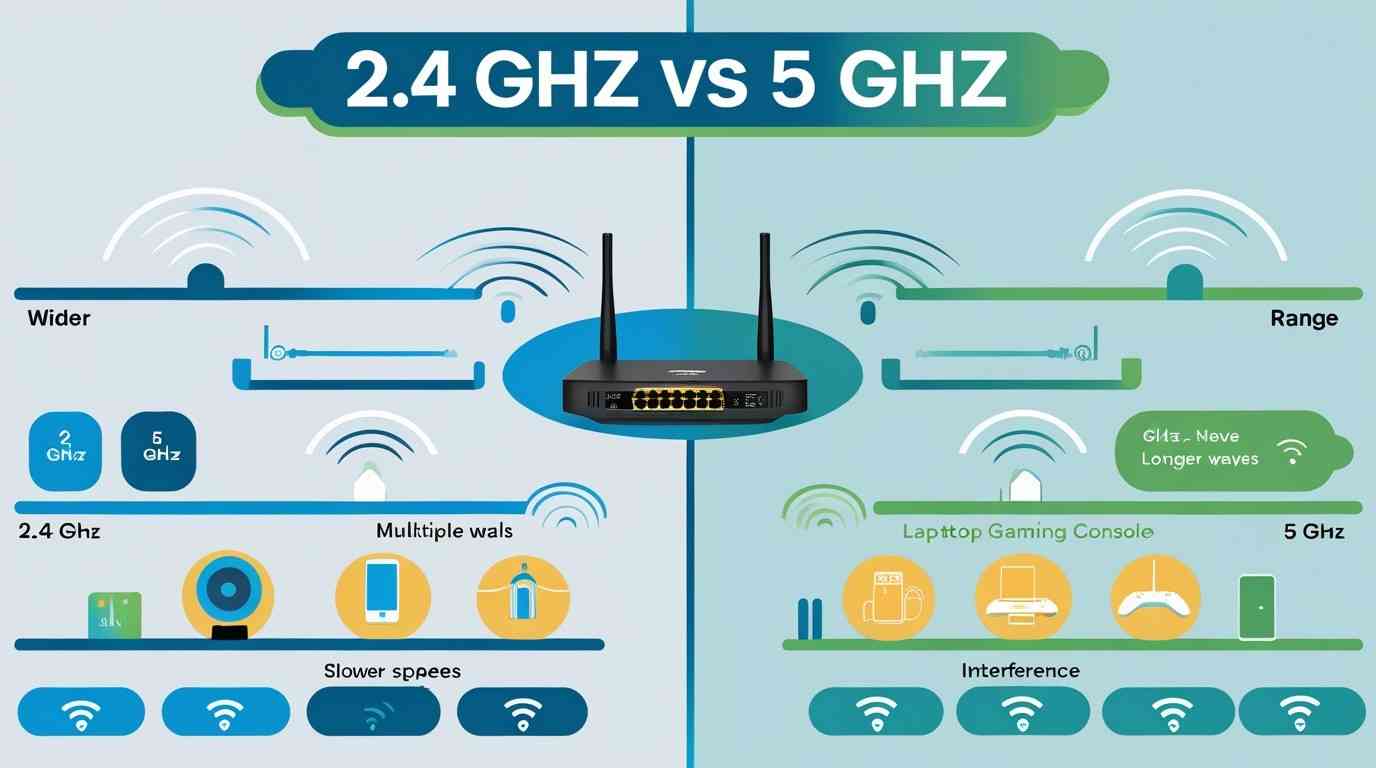
In simple terms, 2.4 GHz and 5 GHz are two different frequency bands that your WiFi router uses to send data between your device and the internet. Each band has its strengths, depending on your needs and environment.
Think of it like this:
Understanding this difference helps you pick the right band for better performance, whether you need coverage across your home or high-speed connectivity for demanding tasks.
Here’s a quick comparison to make things crystal clear:
|
Feature |
2.4 GHz |
5 GHz |
|
Speed |
Slower |
Faster |
|
Range |
Longer |
Shorter |
|
Wall Penetration |
Better |
Weaker |
|
Interference |
More (crowded band) |
Less (cleaner band) |
|
Best For |
Large areas, basic use |
Streaming, gaming, speed |
When comparing 2.4 and 5 GHz, speed is usually the most important factor for most users. The 5 GHz band delivers significantly faster speeds, making it ideal for:
On the other hand, the 2.4 GHz band, while slower, is still reliable for everyday tasks such as:
Verdict: If speed is your top priority, 5 GHz is the clear winner. However, for basic usage, 2.4 GHz still gets the job done efficiently.
When it comes to coverage, 2.4 GHz has a clear advantage. It can travel longer distances and penetrate walls, floors, and other obstacles more effectively. This makes it a reliable choice for maintaining connectivity in larger spaces.
Perfect for:
In contrast, the 5 GHz band has a shorter range and is more easily disrupted by physical barriers like walls and furniture. It works best when you are relatively close to the router.
Bottom line: If you often move around your home or need dependable coverage in different rooms, 2.4 GHz is the better choice for stability and reach.
One of the most overlooked factors in the 2.4 vs 5 GHz debate is interference, which can greatly affect your WiFi performance.
2.4 GHz Problems: The 2.4 GHz band is widely used, making it crowded and prone to interference. Many everyday devices operate on this frequency, such as:
The result? Slower speeds, dropped connections, and inconsistent performance, especially in busy environments.
5 GHz Advantage:
Pro Tip: If you live in an apartment, hostel, or any densely populated area, switching to 5 GHz can noticeably improve speed and reliability.
Not all devices support both Wi-Fi bands, and this can impact your internet experience more than you might think.
Most modern routers are dual-band, meaning they broadcast both 2.4 GHz and 5 GHz networks at the same time. This lets you choose the band that best fits your needs, whether it’s range or speed.
Understanding 2.4 GHz vs 5 GHz becomes much easier when you think about real-life situations. Each band serves a different purpose, so picking the right one depends on your needs and environment.
Use 2.4 GHz When:
Use 5 GHz When:
Quick tip: If your router supports dual-band Wi-Fi, use both wisely. Connect everyday devices to 2.4 GHz for stability, and switch to 5 GHz when you need speed.
Have you noticed your phone suddenly switching between Wi-Fi networks or speeds? You’re not imagining it.
Many modern routers use a feature called band steering, which automatically moves your device between 2.4 GHz and 5 GHz bands to give you the best connection. This choice is based on factors like:
While this usually improves performance, it doesn’t always work perfectly. In some cases, manually selecting a specific band can give you a more stable or faster connection, especially if you know your needs, like streaming versus browsing.
You don’t have to choose between 2.4 vs 5 GHz, use both smartly:
Newer wireless technologies, like WiFi 6 and WiFi 6E, greatly improve both 2.4 GHz and 5 GHz bands in several ways:
With WiFi 6E, a new 6 GHz band is introduced. This offers even more bandwidth and less interference for high-performance activities.
However, even with these improvements, the main differences between 2.4 GHz and 5 GHz, such as range, speed, and wall penetration, still matter when choosing the best connection for your needs.
When comparing 2.4 GHz and 5 GHz, there’s no one-size-fits-all answer. It depends on your needs and environment.
The smartest approach is to use both strategically for the best of both worlds.
By understanding how these Wi-Fi bands work, you can reduce slow speeds, lessen buffering, and enjoy a smoother, more reliable internet experience when you’re working, streaming, or gaming.
Not always. While 5 GHz is faster, it has a shorter range. 2.4 GHz works better for larger areas and can penetrate walls more effectively.
You can check in your device’s Wi-Fi settings. Networks often have names like “WiFi_2.4” or “WiFi_5G.”
Yes. Dual-band routers allow multiple devices to connect to different bands at the same time.
Your device may not support 5 GHz, or you could be too far from the router.
5 GHz is better for gaming due to lower latency and higher speeds, if you’re close to the router.

© 2025 Crivva - Hosted by Airy Hosting Managed Website Hosting.