


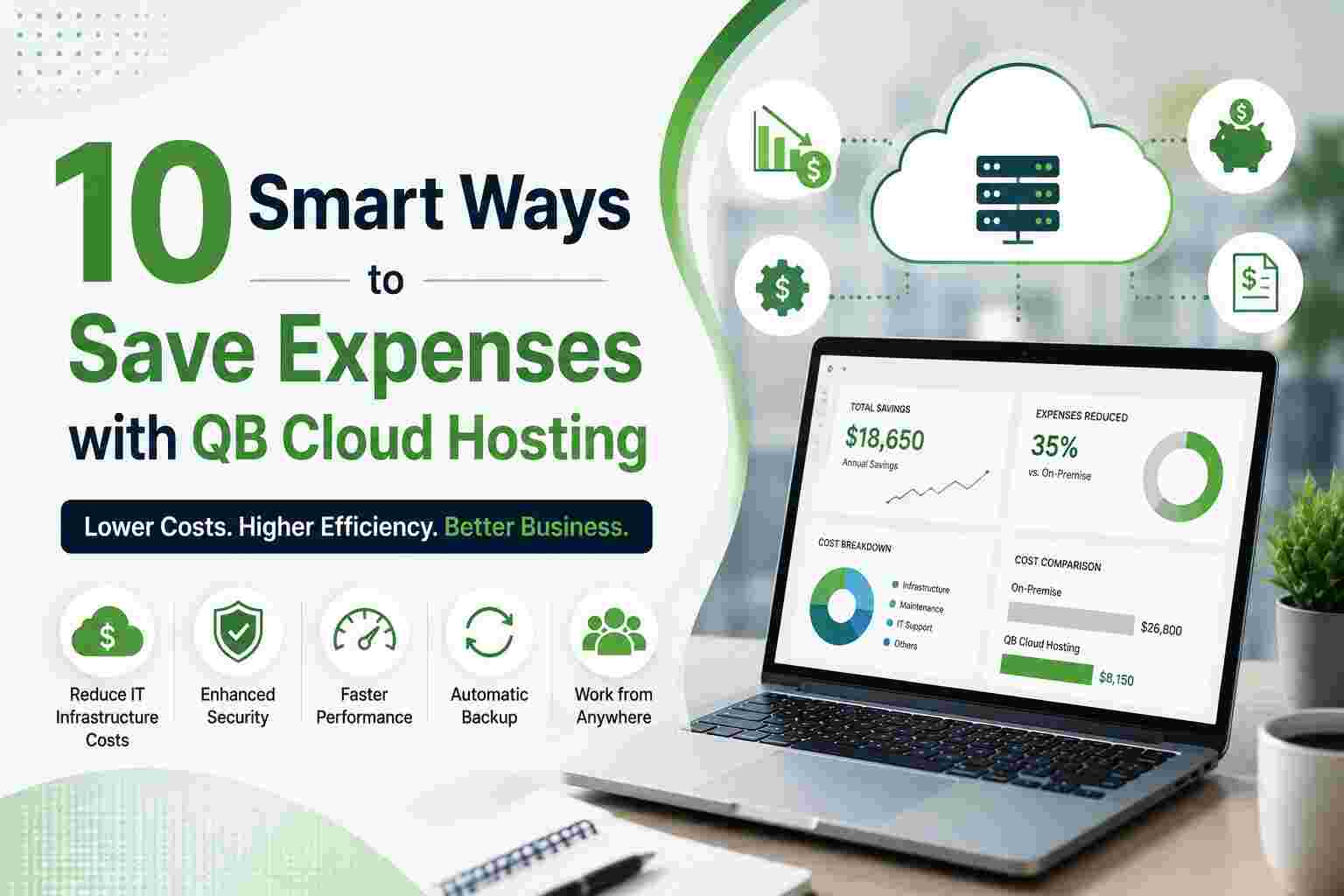
Running a business means keeping operating costs under control. Whether you’re a small business owner, a CPA firm, or a growing enterprise, your accounting infrastructure plays a massive role in your overall operational costs. One of the smartest financial moves businesses are making today is switching to QB cloud hosting — and the savings go far beyond just your IT budget.
In this post, we’ll walk you through 10 proven, smart ways QB cloud hosting helps you save real money — while actually improving performance, security, and team productivity.
Traditional QuickBooks setups require dedicated servers, hardware upgrades, networking equipment, and on-site IT maintenance. These costs add up shockingly fast.
With QB cloud hosting, all of that hardware lives in your provider’s data center — not your office. You no longer need to spend thousands on:
You simply pay a predictable monthly subscription, and the infrastructure is handled entirely by your hosting provider. For most small to mid-sized businesses, this alone can save $5,000 to $20,000 per year in hardware costs.
Every time your local QuickBooks installation breaks down, crashes, or needs an update, someone has to fix it. That means either hiring an in-house IT team or paying expensive per-hour tech support fees.
QB cloud hosting transfers that responsibility to the provider. Your hosting partner handles:
This means fewer emergency IT calls, less downtime, and significantly lower support bills every single month.
Managing QuickBooks licenses across multiple desktops is a logistical and financial nightmare. You pay per seat, per machine, and every upgrade cycle brings a new wave of licensing fees.
With cloud hosting, your QuickBooks Desktop license is centralized on the cloud server. Multiple users can access the same instance simultaneously without needing separate installs on every machine. This consolidates your licensing costs and eliminates the redundancy of paying for software that sits on computers that barely use it.
Every minute your team spends dealing with a QuickBooks crash, a sync error, or a failed file transfer is a minute of lost productivity. And lost productivity is a hidden cost most businesses seriously underestimate.
QB cloud hosting delivers 99.9% uptime guarantees, automatic backups, and real-time syncing across all users. When your accounting software just works — every day, all day — your team stays focused on revenue-generating work instead of troubleshooting frustrating software issues.
Even saving just 1 hour per employee per week can translate into thousands of dollars of recovered productivity annually.
Before cloud hosting became mainstream, enabling remote access to QuickBooks meant setting up expensive VPNs, Remote Desktop Protocol (RDP) configurations, or third-party remote access tools — all of which come with their own licensing and maintenance costs.
With QB cloud hosting, remote access is built right in. Your team can securely log in from any device — laptop, tablet, or desktop — from anywhere in the world. There’s no need for:
This is especially valuable for firms with remote accountants, multi-location offices, or clients who need real-time access to their books.
Data loss is catastrophic — and recovering from it is outrageously expensive. Hard drive failures, ransomware attacks, accidental deletions, or office disasters like fires or floods can wipe out years of financial records in seconds.
Building your own disaster recovery plan for on-premise QuickBooks involves expensive off-site backups, redundant servers, and recovery software. Most small businesses simply don’t have this in place — and they pay a devastating price when something goes wrong.
QB cloud hosting includes automated daily backups, redundant data centers, and built-in disaster recovery protocols. Your data is always safe, always recoverable, and always protected — without you spending a single extra dollar on a backup strategy.
As your business grows, so do your accounting needs. With traditional setups, adding a new user means buying a new license, setting up a new machine, and paying your IT team to configure everything.
With cloud hosting, scaling is as simple as adding a user to your plan. You can:
This pay-as-you-grow model ensures you’re never paying for capacity you don’t need, and never scrambling to add infrastructure when business picks up.
Many businesses run QuickBooks alongside a patchwork of third-party add-ons, data sync tools, and manual workarounds — all of which cost money independently. Cloud hosting environments are designed to integrate seamlessly with:
By centralizing everything in a single hosted environment, you eliminate redundant subscriptions, reduce integration costs, and streamline your entire workflow under one roof — saving both money and headaches.
Cybersecurity is no longer optional — it’s a business necessity. But building a robust security infrastructure on your own is enormously expensive. Firewalls, intrusion detection systems, antivirus software, compliance monitoring, and security audits all carry significant price tags.
Reputable QB cloud hosting providers invest heavily in enterprise-grade security so you don’t have to. You benefit from:
You get Fortune 500-level security at a fraction of what it would cost to build independently — which is a massive cost advantage for small and mid-sized businesses.
This one often flies under the radar. Running on-premise servers consumes significant electricity and requires dedicated physical space. Server rooms need cooling, ventilation, and consistent power supply — all of which add to your monthly overhead.
Moving to QB cloud hosting means:
For businesses in expensive commercial real estate markets, this hidden saving can be surprisingly substantial over time.
Switching to QB cloud hosting isn’t just a technology upgrade — it’s a strategic financial decision. When you add up the savings from reduced hardware, lower IT costs, built-in security, disaster recovery, remote access, and scalability, the numbers speak for themselves. Businesses that make the switch typically see a 30% to 50% reduction in their total QuickBooks-related IT expenses within the first year alone.
The smartest businesses aren’t spending more to manage their accounting software — they’re spending smarter by moving it to the cloud.
Ready to Make the Switch?
Looking for a reliable QB cloud hosting provider? Apps4Rent offers fully managed hosting with 24/7 support, 99.9% uptime, enterprise-grade security, seamless migration, and flexible plans. Access QuickBooks securely from anywhere while enjoying a scalable solution tailored to your business needs.
👉 Visit Apps4Rent today and take the first step toward smarter, more cost-efficient QuickBooks management.
Q1. What is QB cloud hosting?
QB cloud hosting allows you to access QuickBooks Desktop from a secure cloud server, enabling anytime, anywhere access from any internet-connected device.
Q2. How does QB cloud hosting help reduce business expenses?
It lowers costs by eliminating the need for on-premise servers, reducing IT maintenance, minimizing downtime, and providing built-in backups and security.
Q3. Can multiple users work on QuickBooks simultaneously with cloud hosting?
Yes. QB cloud hosting supports multi-user access, allowing employees, accountants, and bookkeepers to collaborate on the same company file in real time.
Q4. Is QB cloud hosting secure for storing financial data?
Yes. Most hosting providers offer advanced security features such as data encryption, multi-factor authentication, automated backups, and 24/7 monitoring.
Q5. Is QB cloud hosting suitable for small businesses?
Absolutely. QB cloud hosting is scalable, cost-effective, and ideal for small businesses looking to improve accessibility, productivity, and data security while reducing IT expenses.

© 2025 Crivva - Hosted by Airy Hosting Managed Website Hosting.